Journal · Explainer · 4 min read
Why wireless charging is slower than wired
Power has to jump a gap of air and glass. Some of it never lands.
A 25 W wireless pad and a 25 W cable sound like the same thing. Yet put the same phone on each for half an hour, and the cable usually wins by a wide margin. Where do the missing watts go?
Short answerWireless charging sends power across a gap between two coils using a magnetic field, and some energy is lost as heat on the way. Phones also cap wireless speed to keep that heat in check. In Macworld's tests, an iPhone reached 50% in about 25 minutes wired and about 45 minutes on a 15 W wireless charger.
Wired against wireless, in minutes and watts
Macworld's charging tests on an iPhone 15 Pro give the clearest side-by-side. Wired, it reached 50% in about 25 minutes, 80% in about 55 and full in about 70. On Apple's MagSafe Charger or a Qi2 charger at 15 W, it took about 45 minutes to 50%, about 90 to 80% and about 115 to full. Chargers rated 7.5 W took roughly twice as long again.
The losses show in the lab. ChargerLAB measured about 10.5 W going into Apple's MagSafe Charger while an iPhone 16e sat on it, and estimated about 7.5 W actually reached the phone. That is roughly 70% of the power getting through; the rest became heat in the coils and electronics. A cable from the same adapter loses only a few percent along its copper.
Faster wireless tiers narrow the gap. Macworld measured 32 to 34 minutes to 50% on a Qi2 25W charger with an iPhone 16 Pro. Wired charging moved on too: Notebookcheck's summary of ChargerLAB's test shows an iPhone 17 reaching 50% in 19 minutes on a 40 W adapter.
| Charge level | Wired | 15 W MagSafe or Qi2 |
|---|---|---|
| 50% | About 25 min | About 45 min |
| 80% | About 55 min | About 90 min |
| 100% | About 70 min | About 115 min |
Source: Macworld charging tests
Battery %
Wired15 W wireless
Source: Macworld charging tests
How wireless charging works, and where energy is lost
A wireless charger contains a flat coil of copper. Alternating current in that coil creates a changing magnetic field. A matching coil inside the phone sits in that field and turns it back into current, which the phone then converts again to charge the battery.
Every step leaks. Some of the field misses the phone's coil, especially if the coils are not centred. Both coils have resistance and warm up. The electronics at each end convert power twice. A cable skips most of this: copper carries the power straight to the phone's charging circuit.
Think of passing water between two buckets by pouring from one into the other a short distance apart, rather than through a pipe. Pour carefully, close and centred, and you lose a little. Pour from a distance or off to one side, and you lose a lot. Magnets in Qi2 and MagSafe keep the buckets lined up.
Why phones slow wireless charging on purpose
The heat from those losses lands where the battery is: right behind the coil. Apple's support page lists wireless charging among activities that warm an iPhone, and explains that charging slows or stops when the phone gets too hot.
Standards bake in limits. 9to5Google reports that the Qi specification caps standard Extended Power Profile charging at 15 W, which is why a Galaxy S26 Ultra likely needs a magnetic case to reach its 25 W wireless rating. Higher wireless power is tied to precise alignment for a reason: misaligned coils waste more energy as heat. Macworld reports that Qi2 25W products carry stricter surface temperature limits of about 40 °C.
When wireless is still the right choice
Speed is not everything. Wireless charging saves the wear of plugging and unplugging a cable many times a day, spares the port from strain, and suits a bedside or desk where the phone rests for hours anyway. Overnight, the extra 20 or 40 minutes simply do not matter.
The practical answer for most people is both: a wireless charger where the phone rests, and a wired USB-C charger for the mornings when you need half a battery before you leave.
What to check before you buy
Check the standard and tier. Qi2 25W or MagSafe for 25 W phones; Qi2 for 15 W. Macworld notes MagSafe Compatible usually means 7.5 W.
Check the adapter. Wireless chargers need their own wall adapter, and Apple specifies 30 W or more for 25 W MagSafe charging.
Check alignment. If your phone has no magnets, use an approved magnetic case or a pad with a clear centring guide.
Check cooling. A stand that holds the phone upright with air behind it, or a charger with a fan, stays cooler than a flat pad under a thick case.
Keep a cable for speed. Use wireless for overnight and desk top-ups, and the cable when you need charge fast.
Myth corner
Myth: a 25 W wireless charger is as fast as a 25 W cable. Fact: the rating describes what the charger sends, not what the battery receives. ChargerLAB's MagSafe measurement suggests about 70% gets through at basic Qi power, and phones taper wireless charging sooner to manage heat.
The right one for you
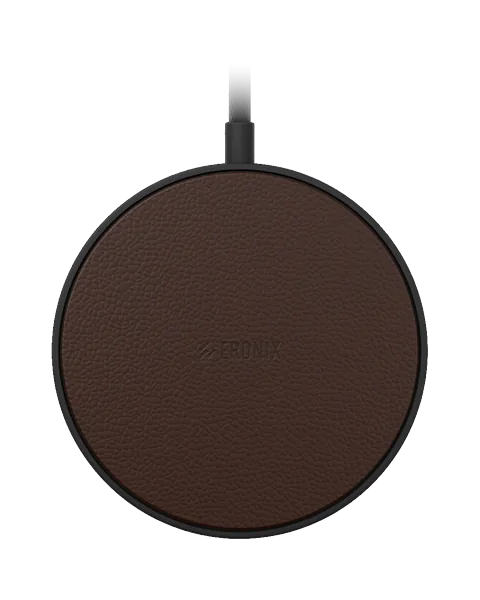
Keep one of each. Where the phone rests, the Magnetic Charger gives Qi2.2 at 25 W on iPhone 17 and later, snaps on so the coils stay centred, and comes with an aluminium ring and a 1.5 m braided cable.
For the mornings, the Fermi45 gives 45 W over USB-C for the iPhone 17's fastest wired charge, and it also covers the 30 W or higher adapter that 25 W magnetic charging needs.

Step by step
- Match the wireless charger's tier to your phone: Qi2 25W, MagSafe or Qi2.
- Power it with the adapter wattage the maker specifies.
- Keep the phone centred with magnets and remove thick cases.
- Charge somewhere cool and use a cable when you need speed.
Questions people ask
Does wireless charging waste electricity?
It uses more than wired for the same charge. ChargerLAB's measurement on an iPhone 16e put about 7.5 W reaching the phone from about 10.5 W going into the charger, roughly 70%. For one phone a day the extra cost is small, but it shows up as heat near the battery.
Why does my phone get warm on a wireless charger?
Energy lost between the two coils turns into heat right behind the battery. Misalignment, a thick case and a warm room add more. Apple notes charging can slow or stop if an iPhone gets too hot. Remove thick cases and keep the charger out of direct sun.
How can I make wireless charging faster?
Use a charger and adapter matched to your phone's top tier, such as Qi2 25W with a 30 W or higher adapter for iPhones that support 25 W. Keep the phone centred with magnets, remove thick cases, and charge somewhere cool. Above all, avoid using the phone heavily while it charges.
Is fast wireless charging bad for the battery?
Not in itself. Modern phones and approved chargers manage temperature and slow down when warm. The battery's enemy is sustained heat, so a cool, aligned setup matters more than the wattage. Overnight, slower wireless charging with optimised charging switched on is gentle on the battery.
Why does wireless charging slow down after 50%?
All lithium-ion charging tapers as the battery fills, wired or wireless. Wireless often tapers sooner because the phone is already warm from coil losses. In Macworld's 15 W test, an iPhone took about 45 minutes to 50% and about 70 more minutes to reach full.
Sources
- Qi2 vs. MagSafe: Which wireless charger is best for your iPhone? (Macworld) · 21 Oct 2026
- 4005mAh+27W | Charging Review of iPhone 16e (ChargerLAB) · 27 Mar 2025
- iPhone 17 charging test shows negligible improvement with Apple's new 40 W charger (Notebookcheck) · 8 Nov 2025
- Samsung Galaxy S26 charging speeds and Qi2 (9to5Google) · 25 Feb 2026
- If your iPhone or iPad gets too hot or too cold (Apple Support India) · accessed 22 Nov 2026
- iPhone 17 - Technical Specifications (Apple) · accessed 22 Nov 2026
Qi2
Wireless charging, aligned by magnets.
Read →Explainer · 1 min readWhat is Qi2, and why did wireless charging need magnets?
The standard that made wireless charging predictable.
Read →Explainer · 4 min readQi2 and Qi2.2: the wireless standards in plain words
Same magnets, same snap. The difference is ten watts and a stricter test.
Read →Buying guide · 6 min readWhich charger does your 25 W magnetic (Qi2.2) puck need?
The puck can only give what the adapter feeds it, and heat takes its share first.
Read →Buying guide · 5 min readWhich charger does a 15 W MagSafe puck need?
The puck is only as fast as the plug behind it. Here is the adapter that unlocks 15W.
Read →Explainer · 4 min readMagSafe vs Qi2: same magnets, different rules
They feel identical when they click on. The difference is in who sets the rules.
Read →