Journal · Explainer · 4 min read
Reverse wireless charging: useful or a gimmick?
Your phone can charge your earbuds. Whether it should depends on what you are rescuing
The Galaxy Z Fold7 can charge itself wirelessly at 15 W, but it can share only 4.5 W with another device, according to GSMArena's specification listing. That number alone tells you what reverse wireless charging is for, and what it is not.
Short answerReverse wireless charging is useful for small rescues: topping up earbuds, a smartwatch or a friend's phone by a few per cent. It is slow, it loses energy as heat, and it drains your phone faster than the other device gains. Treat it as a spare tyre, not a charger.
Reverse charging by the numbers
Speeds are low by design. GSMArena lists 4.5 W reverse wireless charging for the Galaxy Z Fold7, and the Z Flip7's published specifications show the same 4.5 W. Samsung's own Wireless PowerShare support page gives no wattage and says only that speed varies by device.
Phones guard their own battery. Samsung says PowerShare will not turn on if the sharing phone has less than 30 per cent left and is not plugged in. Google lets Pixel owners choose a cut-off between 10 and 50 per cent, and turns Battery Share off if it finds nothing to charge within 30 seconds, if the phone gets hot or if the receiving device is full.
Support is shrinking in places. Google's current charging page lists Battery Share for Pixel 5 to Pixel 9 Pro XL only, so newer Pixels do not offer it. Always check your exact model.
Efficiency is the catch. Battery University puts small inductive systems at about 75 to 80 per cent efficient. In a test reported by TechSpot, charging a Pixel 4 on a flat wireless pad used about 47 per cent more energy than a cable. In reverse charging, your phone is the pad, so that loss comes straight out of your battery.
| Detail | Samsung Wireless PowerShare | Pixel Battery Share |
|---|---|---|
| Published speed | 4.5 W (Z Fold7, Z Flip7) | Not published |
| Battery cut-off | Will not start below 30% unless plugged in | Owner sets 10 to 50% |
| Turns off when | Not stated | Nothing found in 30 s, hot, or receiver full |
| Models | Check the exact model | Pixel 5 to Pixel 9 Pro XL |
Source: Samsung UK Support; Google Pixel Help; GSMArena Z Fold7 specifications, accessed 22 Nov 2026
Energy (Wh)
Source: TechSpot, reporting Eric Ravenscraft's test for OneZero, accessed 22 Nov 2026
How reverse wireless charging works
Every phone with wireless charging has a coil under its back. Normally it receives energy from a pad's coil. Reverse charging runs that coil the other way: the phone drives an alternating current through it, which creates a changing magnetic field, and the coil in the earbud case or watch turns that field back into electricity.
Imagine pouring water from one bottle into another without a funnel. It works, but some spills, and the more you tip, the more you lose. Small transfers to a small cup are manageable. Trying to fill a jug the same way wastes half the bottle.
Because both coils are hidden, alignment matters. Samsung notes that coil position varies by model and suggests moving the devices slowly until they connect. Metal or magnetic accessories, PopSockets, ring holders and thick cases can break the link, as both Samsung and Google warn. The sharing phone vibrates and plays a tone when charging starts, Samsung says, so you know when the coils have found each other.
When it is worth using
Earbuds before a call or a flight: a few minutes on the back of your phone can add enough charge for a conversation.
A smartwatch at the end of a long day, if the watch supports Qi charging. Many do not, so check the watch first.
A friend's dying phone: enough to send a message or book a cab, not to fully charge it.
Not worth it: charging another phone from low, or using it while your own phone is under 50 per cent with no charger in sight.
Reverse charging and the newest phones
Magnetic charging has changed the picture. Google says Pixel 10 and later, except the Pixel 10a, support Qi2, and asks owners to use a case that is compatible with Qi2 charging. Yet its current list of Battery Share phones stops at the Pixel 9 Pro XL. A newer phone can drop the feature even as its own wireless charging improves.
If reverse charging matters to you, check the exact model's specification before you buy, rather than assuming a newer phone has it.
What to check before you buy
Check the spec sheet for reverse wireless charging and its wattage. Many phones with wireless charging do not offer reverse charging at all.
Check the accessory, not just the phone. Earbud cases and watches must support Qi wireless charging to receive reverse charge.
Look at where the coils sit. Small earbud cases need to sit near the middle of the phone's back, so a case that is very thick or has a metal plate defeats the feature.
If you often need to rescue accessories, a slim power bank with a cable is usually faster and wastes less energy than relying on your phone.
Myth corner
Myth: reverse wireless charging damages your phone's battery. Using it occasionally adds a small amount of heat and a few extra charge cycles, much like normal use. Phones also switch the feature off when they get hot or reach a set battery level, as Samsung and Google describe. The real cost is the energy lost on the way.
The right one for you
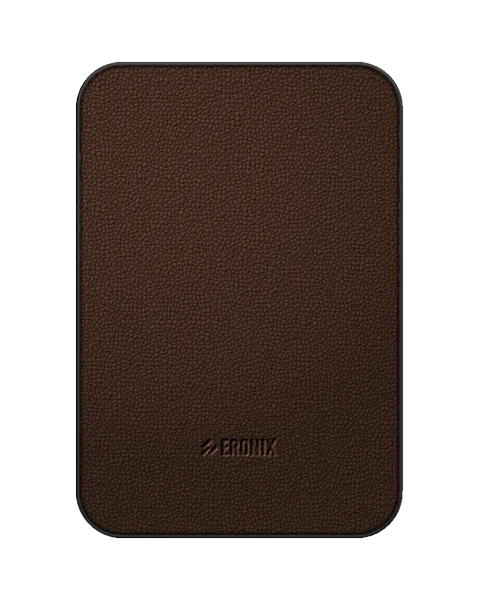
For rescuing earbuds or a watch, a small pack spares your phone's battery. The Slim Magnetic Battery Pack 5K holds 5,000 mAh in a body under 10 mm thin, and its 20 W USB-C port charges earbuds, a watch or a friend's phone by cable.
On iPhone 12 and later it also attaches magnetically and charges wirelessly at 15 W. It is aluminium, in black or tan.
Step by step
- Check that your phone supports reverse wireless charging in its spec sheet.
- Remove cases, metal plates and magnetic accessories from both devices.
- Turn the feature on from quick settings or the battery menu.
- Place the accessory on the centre of the phone's back and move it slowly until charging starts.
- Leave both still on a flat surface, and stop once you have the charge you need.
Questions people ask
Can I charge my iPhone from an Android phone wirelessly?
Often yes, if the Android phone supports reverse wireless charging and the iPhone supports Qi charging. Samsung says PowerShare works with phones built to the Wireless Power Consortium's Qi standard, though it adds that not every device with wireless charging is compatible. Speed is slow, a few watts at most, so it is only useful for an emergency top-up.
How fast is reverse wireless charging?
Slow. GSMArena lists 4.5 W reverse wireless charging for the Galaxy Z Fold7, against 15 W when that phone itself charges wirelessly. Samsung does not publish a single figure and says speed varies by device. Expect earbuds to gain a little charge in minutes, and a phone only a few per cent.
Does reverse wireless charging work through a case?
Thin plastic cases sometimes work, but Samsung and Google both recommend removing cases, metal plates, magnetic rings and grip accessories. Any gap or metal between the coils weakens the link, wastes more energy as heat and may stop the transfer altogether.
Can a phone charge another device while plugged in?
Samsung says a Galaxy phone plugged into a wired charger can share power with a second device through PowerShare, so both charge from one charger. Google says Battery Share on Pixel 9 models turns off when a wired charger is connected. Behaviour varies by brand and model.
Sources
- Samsung UK Support: How to use Wireless PowerShare · updated 21 Nov 2024, accessed 22 Nov 2026
- Google Pixel Help: Charge other devices with Pixel (Battery Share) · accessed 22 Nov 2026
- Google Pixel Help: Charge your Pixel phone · accessed 22 Nov 2026
- GSMArena: Samsung Galaxy Z Fold7 full specifications · accessed 22 Nov 2026
- Samsung Galaxy Z Flip 7 (Wikipedia) · accessed 22 Nov 2026
- Battery University: BU-412 Charging without wires · accessed 22 Nov 2026
- TechSpot: Wireless charging has an efficiency issue · accessed 22 Nov 2026
Qi2
Wireless charging, aligned by magnets.
Read →Explainer · 4 min readMagSafe wallets: how many cards, and which ones
Three cards, a ring of magnets and one rule about charging. Here is how to pack it.
Read →Explainer · 4 min readQi2 and Qi2.2: the wireless standards in plain words
Same magnets, same snap. The difference is ten watts and a stricter test.
Read →Explainer · 4 min readMagSafe vs Qi2: same magnets, different rules
They feel identical when they click on. The difference is in who sets the rules.
Read →Explainer · 4 min readWhy wireless charging is slower than wired
Power has to jump a gap of air and glass. Some of it never lands.
Read →Explainer · 4 min readIs wireless charging bad for the battery?
The coil is not the problem. The warmth it leaves behind is, and you can control that.
Read →