Journal · Buying guide · 4 min read
Which charger does the iPhone 16 Pro need?
Nine chargers, one phone, and a 7-minute spread between 20 W and 140 W
Which charger fills an iPhone 16 Pro fastest? ChargerLAB tried nine Apple chargers, from 5 W to 140 W. Everything from 18 W upward finished within ten minutes of each other. So how do you choose?
Short answerAny USB-C Power Delivery charger of 20 W or more meets Apple's claim of about 50 per cent in 30 minutes. A 30 W charger fits best: the phone draws about 23 to 24 W from it, and it is Apple's minimum for 25 W MagSafe charging. Larger chargers are safe and save only a few minutes.
iPhone 16 Pro charging: the tested numbers
Apple's iPhone 16 Pro specifications promise up to 50 per cent in about 30 minutes using a 20 W adapter or higher with a USB-C cable, or a 30 W adapter or higher with a MagSafe charger. MagSafe is rated at up to 25 W with a 30 W adapter, and Qi at up to 7.5 W. The USB-C port supports USB 3 at up to 10 Gb/s with a suitable cable.
ChargerLAB's October 2024 review measured Apple's 30 W charger delivering about 23.98 W, at 14.5 V and 1.65 A. Most Apple chargers able to offer 15 V gave about 23 W, third-party chargers above 30 W gave about 22 to 25 W, and power banks 19 to 24 W.
On Apple's 35 W charger, the phone reached 50 per cent in about 27 minutes, 80 per cent in about 57 minutes and 100 per cent in about 2 hours. The screen showed fully charged at about 1 hour 47 minutes, while trickle charging continued. In a 25 °C chamber, the back peaked at 34.6 °C after 10 minutes, when the phone was drawing about 21 W, then cooled to 33.8 °C at 20 minutes and 31.9 °C at 40 minutes.
ChargerLAB's later comparison gives the full-charge times by charger: 2 hours 8 minutes on 18 W, 2 hours 6 minutes on 20 W, 2 hours 2 minutes on 30 W, 2 hours 3 minutes on 35 W, 2 hours 4 minutes on 70 W, 2 hours 3 minutes on 96 W and 1 hour 59 minutes on 140 W. Only the 5 W and 10 W cubes were far behind, at 7 hours 16 minutes and 2 hours 53 minutes.
Power banks count as chargers here too. ChargerLAB found third-party power banks held this phone at about 19, 23 or 24 W, using 9 V, 12 V or 15 V profiles with no compatibility problems, so a bank with a 20 W or higher USB-C PD port tops it up almost as quickly as a wall charger.
| Source | Measured power |
|---|---|
| Apple 30 W charger | about 23.98 W (14.5 V, 1.65 A) |
| Apple chargers with 15 V | about 23 W |
| Third-party chargers above 30 W | about 22 to 25 W |
| Third-party power banks | 19 to 24 W |
| Apple MagSafe charger | about 15 W at the phone (estimate) |
| Third-party wireless charger | about 6.4 W |
Source: ChargerLAB, Charging review of iPhone 16 Pro, October 2024
Battery %
Source: ChargerLAB, October 2024
How the iPhone 16 Pro sets its pace
When you plug in, the phone reads the charger's list of voltages over USB-C Power Delivery. From a 20 W charger it usually takes 9 V; from chargers that offer 15 V, it can choose that and draw about 1.65 A. Then it governs the current itself, holding a higher rate while the battery is low and cool, and stepping down as it fills.
Think of it like a metro train's driver. However much power the overhead line can supply, the driver accelerates to the line speed and no faster, and slows smoothly into each station. The charger is the overhead line; the phone is the driver.
That is why the curve barely changes above 30 W. The phone's own ceiling, not the charger, sets the speed.
MagSafe on the iPhone 16 Pro
With a MagSafe charger and a 30 W or higher adapter, Apple rates the iPhone 16 Pro at up to 25 W wirelessly. In ChargerLAB's test, an Apple MagSafe charger drew about 18.3 W at its input, which ChargerLAB estimated as about 15 W at the phone after losses, while a third-party wireless charger gave about 6.4 W. If you go wireless, a 25 W-capable magnetic charger and the right adapter make a large difference.
What to check before you buy
Look for USB-C Power Delivery and a 15 V output line on the label. That lets the phone reach its roughly 23 to 24 W.
For MagSafe at 25 W, use a 25 W-capable MagSafe charger or a Qi2 25 W charger, with a 30 W or higher adapter.
Use a USB-C to USB-C cable. For fast file transfer at 10 Gb/s, the cable must be rated for USB 3; for charging, any well-made USB-C cable works.
Do not pay extra for iPhone-specific speeds above 30 W. ChargerLAB's tests show they save only minutes.
If you already own a Mac adapter, it charges the iPhone 16 Pro safely and about as fast as a 30 W charger.
Myth corner
Myth: the iPhone 16 Pro charges at 45 W with the right charger. A regulatory filing listed a 45 W rating, MacRumors reported, but ChargerLAB's tests found the phone sustaining around 23 to 24 W in normal use. A 30 W charger is enough to reach that.
The right one for you
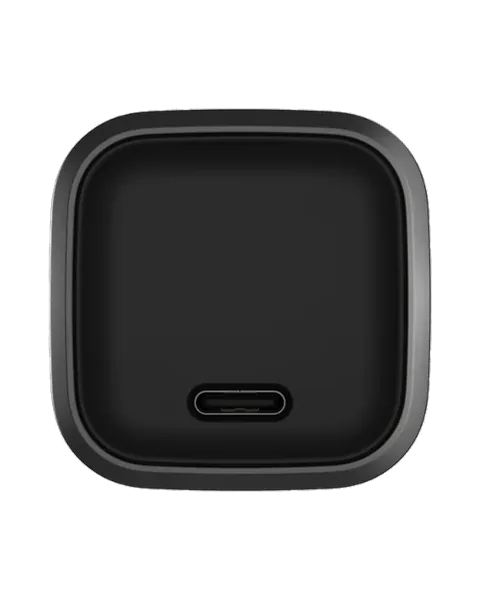
The Fermi30 is sized to this phone. It gives 30 W over USB-C Power Delivery, with the 15 V at 2 A line the iPhone 16 Pro uses to reach its roughly 23 to 24 W, and PPS for phones that ask for it.
It is 49.6 by 32 by 32 mm and weighs 42 g, and the same 30 W meets Apple's minimum adapter for 25 W MagSafe on this iPhone.
Step by step
- Pick a USB-C PD charger of 20 W, or 30 W for the best speed and 25 W MagSafe.
- Check the label lists a 15 V output.
- Use a USB-C to USB-C cable in good condition.
- For wireless, pair a 25 W-capable MagSafe or Qi2 charger with a 30 W adapter.
- Charge out of direct sun and remove thick cases.
Questions people ask
Is 20 W enough for the iPhone 16 Pro?
Yes. Apple's specifications list about 50 per cent in around 30 minutes with a 20 W adapter or higher. In ChargerLAB's comparison, a 20 W charger filled the iPhone 16 Pro in 2 hours 6 minutes, only four minutes behind a 30 W charger.
How long does the iPhone 16 Pro take to charge to 100 per cent?
About two hours. ChargerLAB measured 50 per cent in about 27 minutes, 80 per cent in about 57 minutes and 100 per cent in about 2 hours on Apple's 35 W charger. The phone may show fully charged a little earlier while it tops up slowly.
What is the fastest way to charge an iPhone 16 Pro?
A USB-C PD charger of about 30 W with a USB-C cable, in a cool room. ChargerLAB measured about 23.98 W on Apple's 30 W charger. Higher-watt chargers barely change the result; the 140 W adapter finished only three minutes sooner.
Does the iPhone 16 Pro get hot when fast charging?
Only mildly in ChargerLAB's test: the back peaked at 34.6 °C after 10 minutes on a 35 W charger in a 25 °C room, then settled near 32 °C. Charging in direct sun or inside a thick case will run warmer and slower.
Does the iPhone 16 Pro support 25 W MagSafe?
Yes, with a MagSafe charger and a 30 W or higher adapter, according to Apple's specifications. Not every magnetic charger reaches that rate; in ChargerLAB's test, one Apple MagSafe charger delivered about 15 W to the phone after losses, so check the charger's rating.
Sources
- Apple Support: iPhone 16 Pro technical specifications · accessed 22 Nov 2026
- ChargerLAB: Charging review of iPhone 16 Pro · 14 Oct 2024
- ChargerLAB: Comparative test of iPhone 16 Pro with Apple chargers at different power · 11 Dec 2024
- MacRumors: iPhone 16 Pro Max charging speed test proves 45W rumor was wrong · 30 Sep 2024
USB-C Power Delivery
One connector, a negotiated contract.
Read →Buying guide · 5 min readWhich charger does a 15 W MagSafe puck need?
The puck is only as fast as the plug behind it. Here is the adapter that unlocks 15W.
Read →Buying guide · 4 min readWhich charger does the iPhone 16 need?
Why 30 W is the sweet spot for this iPhone, even though it rarely takes 30 W
Read →Buying guide · 6 min readWhich charger does your 25 W magnetic (Qi2.2) puck need?
The puck can only give what the adapter feeds it, and heat takes its share first.
Read →Buying guide · 4 min readWhich charger does the iPhone 15 need?
ChargerLAB tried more than 100 chargers on it. Almost all landed within 3W of each other.
Read →Buying guide · 4 min readWhich charger does a 3-in-1 wireless stand need?
The stand promises the watts. The plug in the wall decides whether you get them.
Read →