Journal · Buying guide · 4 min read
Which charger does the iPhone 16 need?
Why 30 W is the sweet spot for this iPhone, even though it rarely takes 30 W
Before launch, the rumour was that the iPhone 16 would charge at 40 W. ChargerLAB plugged it in and found most chargers delivering about 23 W. So which charger is worth buying for it?
Short answerA 20 W USB-C Power Delivery charger already gives Apple's claim of about 50 per cent in 30 minutes. A 30 W charger is the sweet spot: it lets the phone draw its usual 23 W or so, and it is the minimum Apple lists for 25 W MagSafe wireless charging. Anything bigger is safe but no faster.
iPhone 16 charging speed: the numbers
Apple's India specifications for the iPhone 16 list up to 50 per cent in about 30 minutes with a 20 W adapter or higher and a USB-C cable, or with a 30 W adapter and a MagSafe charger. They list MagSafe wireless charging at up to 25 W with a 30 W adapter or higher, and Qi2 at up to 25 W. The port is USB 2, so data runs at up to 480 Mb/s.
ChargerLAB's October 2024 review measured Apple's 20 W charger delivering about 18.95 W to the phone, at 8.66 V and 2.19 A. Apple chargers above 29 W, which can offer a 15 V profile, reached about 23 W, and most third-party chargers gave 23 to 24 W. On Apple's 70 W charger, power held at about 21 W for the first 16 minutes, then stepped down to 16, 12 and 7 W, and fell to near zero after about 1 hour 6 minutes. A full charge took 2 hours 5 minutes, and the screen showed fully charged at about 1 hour 47 minutes while trickle charging continued.
The 40 W rumour did not hold up in that test. MacRumors also cited a PhoneArena review that saw a 38 W peak only under extremely heavy load, such as gaming while charging, with ordinary charging closer to 20 W. Heat was mild in ChargerLAB's test: the back peaked at 32.4 °C after 20 minutes in a 25 °C room.
| Option | Apple's figure | Measured by ChargerLAB |
|---|---|---|
| 20 W USB-C PD | 50% in about 30 min | About 18.95 W |
| 30 W or higher USB-C PD | 50% in about 30 min | About 23 W |
| MagSafe on a 30 W adapter | Up to 25 W | About 17.8 W (Apple charger) |
| Qi2 | Up to 25 W | Not tested |
Source: Apple India specifications; ChargerLAB, Oct 2024
Watts
Source: ChargerLAB, Oct 2024
How the iPhone 16 chooses its speed
Over USB-C Power Delivery, the charger offers a list of voltages and the iPhone chooses. With a 20 W charger, it typically picks 9 V. With chargers of about 30 W and up, it can choose 15 V, which lets it draw its 21 to 24 W with less current. Either way, the phone decides how much to take, and it backs off as the battery fills or warms up.
Think of it like an autorickshaw on a flyover. A wider road does not make it go faster, because the engine sets the top speed. The 20 W charger is a two-lane road that is already wide enough most of the time; a 30 W charger is four lanes, which helps only at the start of the journey.
The upshot is that a bigger charger mostly shortens the first half of the charge by a few minutes. The last 20 per cent always runs slowly to protect the battery.
Wired or MagSafe for the iPhone 16
Apple lists the iPhone 16 at up to 25 W over MagSafe, but only with a 30 W or higher adapter behind the charger. In ChargerLAB's test, an Apple MagSafe Charger delivered about 17.8 W at the phone end, at 8.95 V and 1.92 A, while one third-party magnetic charger managed about 6.4 W. Wireless is convenient, but some energy is always lost as heat, and the charger in use makes a large difference.
For speed, wired still wins on cost and heat. For a bedside or desk where you pick the phone up often, a 25 W MagSafe or Qi2 charger on a 30 W adapter is the comfortable choice.
What to check before you buy
Look for USB-C PD on the charger. A 20 W rating is enough for Apple's fast-charge claim.
If you want MagSafe at 25 W, choose an adapter of 30 W or more, which Apple lists as the minimum.
For wireless chargers, check for Qi2 25 W or Apple MagSafe. Older Qi pads charge far more slowly.
Any good USB-C to USB-C cable is enough. The iPhone 16 port runs at USB 2 speeds for data, so a high-speed data cable brings no benefit for charging.
Skip chargers marketed with iPhone 16 speeds above 30 W. The phone does not use them in normal charging.
If you are replacing an older phone, check what you already own first. Apple says any USB-C adapter of 18 W or more that supports USB-PD can fast-charge an iPhone, so the charger from a previous iPhone or an iPad may already be enough. Only the 25 W MagSafe rate needs the 30 W step up.
Myth corner
Myth: the iPhone 16 needs a 40 W charger to fast-charge. ChargerLAB's tests found it typically draws about 23 W from chargers above 29 W and about 19 W from a 20 W charger. Apple's own fast-charge claim is based on 20 W.
The right one for you
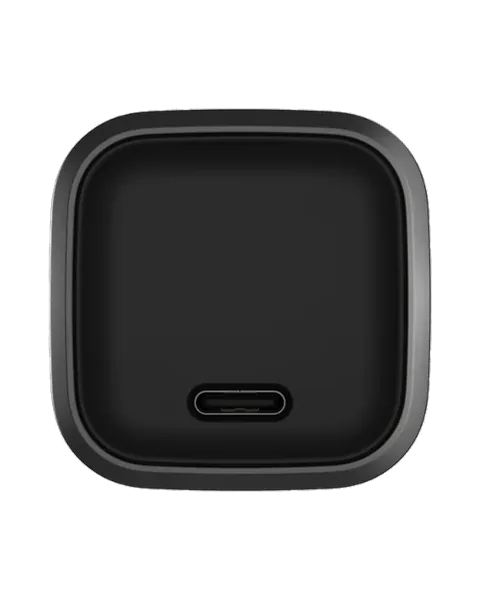
The iPhone 16 rewards one step above 20 W, and Fermi30 is matched to it. Its 15 V at 2 A rail is the profile that let the iPhone 16 draw its 23 W or so in ChargerLAB's test, and its 30 W meets Apple's minimum for 25 W MagSafe charging.
It is a single USB-C port in a GaN body of 42 g, with PPS for the phones that use it.
Step by step
- Choose a USB-C Power Delivery charger of 20 W, or 30 W for MagSafe 25 W.
- Use a USB-C to USB-C cable in good condition.
- For wireless, pick an Apple MagSafe or Qi2 25 W charger.
- Pair the MagSafe charger with a 30 W or higher adapter.
- Charge in a cool place for the fastest top-up.
Questions people ask
How long does the iPhone 16 take to charge fully?
About two hours with a 30 W or higher charger. ChargerLAB measured 2 hours 5 minutes on Apple's 70 W charger, with the screen showing fully charged at about 1 hour 47 minutes. Apple claims about 50 per cent in 30 minutes with a 20 W adapter.
Can I use a MacBook charger with the iPhone 16?
Yes. Apple says its Mac USB-C power adapters can charge iPhone. The phone takes only the power it needs, about 21 to 24 W in ChargerLAB's tests, so a 70 W or higher charger is safe but no faster than a 30 W one.
What adapter do I need for 25 W MagSafe on the iPhone 16?
Apple lists a 30 W or higher USB-C adapter with a MagSafe charger for up to 25 W wireless charging. With a 20 W adapter, MagSafe still works but charges more slowly.
Does the iPhone 16 support Qi2?
Yes. Apple's specifications list Qi2 wireless charging at up to 25 W for the iPhone 16. Older Qi chargers without magnets also work, at lower power, so check for Qi2 25 W on the box.
Why does my iPhone 16 charge slowly with my old charger?
Older USB-A cubes, such as 5 W chargers, do not support USB-C Power Delivery. Apple says fast charging needs an 18 W or higher USB-C adapter with USB-PD. Swap to a USB-C PD charger and a USB-C to USB-C cable.
Sources
- Apple India: iPhone 16 technical specifications · accessed 22 Nov 2026
- ChargerLAB: Up to 40W? Charging review of iPhone 16 · 2 Oct 2024
- MacRumors: iPhone 16 Pro Max charging speed test proves 45W rumor was wrong · 30 Sep 2024
- Apple Support: Fast charge your iPhone · 22 Oct 2026
- Apple Support: About Apple USB power adapters · 11 Jul 2024
USB-C Power Delivery
One connector, a negotiated contract.
Read →Explainer · 1 min readWhat is Qi2, and why did wireless charging need magnets?
The standard that made wireless charging predictable.
Read →Buying guide · 4 min readWhich charger does a 3-in-1 wireless stand need?
The stand promises the watts. The plug in the wall decides whether you get them.
Read →Buying guide · 5 min readWhich charger does the iPhone 15 Pro need?
Twenty watts does the job. Here is what the lab saw, and what you can leave on the shelf.
Read →Buying guide · 5 min readWhich charger does a 15 W MagSafe puck need?
The puck is only as fast as the plug behind it. Here is the adapter that unlocks 15W.
Read →Buying guide · 6 min readWhich charger does your 25 W magnetic (Qi2.2) puck need?
The puck can only give what the adapter feeds it, and heat takes its share first.
Read →