Journal · Buying guide · 4 min read
Which charger does the iPhone 17 Pro need?
Apple asks for 40 W. The phone briefly takes about 36. Everything above is spare capacity.
Apple's adapter for the iPhone 17 Pro carries an unusual name: 40 W Dynamic Power Adapter with 60 W Max. Yet in lab tests the phone never drew more than about 36 W. So which number should you shop by: 40, 60, or the one the phone actually takes?
Short answerA 40 W or higher USB-C Power Delivery charger gives the iPhone 17 Pro Apple's fastest wired claim, about 50% in 20 minutes. ChargerLAB's tests put the Pro models' peak near 36 W, so more watts add nothing for the phone alone. For 25 W MagSafe or Qi2, use a 30 W adapter rated 15 V at 2 A.
iPhone 17 Pro charging in watts and minutes
Apple's support page on fast charging lists the iPhone 17, 17 Pro and 17 Pro Max together: a 40 W or higher adapter and a USB-C cable for up to 50% in about 20 minutes. That is ten minutes quicker than Apple's 30-minute claim for the iPhone 16 family.
ChargerLAB measured the iPhone 17 Pro Max peaking at about 36 W on every Apple charger from the 40 W Dynamic adapter up to the 140 W model, as MacRumors reported in September 2025. MacRumors' companion report on the iPhone 17 says the Pro models can briefly reach 36 W. For the 17 Pro specifically, MacRumors described the same peak as likely rather than separately measured, so treat 36 W as the ceiling, not a confirmed measurement.
For context, ChargerLAB found the standard iPhone 17 peaking at about 27 to 28 W, and its timing test showed the base model reaching 50% in 19 minutes on 40 W and 27 minutes on 20 W. Apple gives the whole iPhone 17 family the same 40 W recommendation, so the Pro's higher peak does not change which charger to buy.
| Charging path | What it needs | What you get |
|---|---|---|
| USB-C wired | 40 W or higher USB-C PD adapter | About 50% in 20 min; peak near 36 W |
| MagSafe or Qi2 25W | 30 W or higher adapter, 15 V at 2 A | Up to 25 W |
| MagSafe with a USB-C accessory connected | Any | Capped at 10 W |
| Cable | 3 A USB-C | Carries up to 60 W |
Source: Apple Support; ChargerLAB via MacRumors
Minutes
Source: Apple Support: Fast charge your iPhone
What the 40 W Dynamic adapter does differently
MacRumors reports that Apple's 40 W Dynamic adapter supports USB Power Delivery 3.2 with SPR AVS, an adjustable voltage mode, and can approach 60 W only in short bursts because of thermal limits in its small body. ChargerLAB's teardown found it roughly the size of Apple's 20 W charger.
For the iPhone 17 Pro, the burst ability is not the point; the phone stops near 36 W. The adjustable voltage is useful because it lets the charger match the battery more closely, with less heat lost in conversion. ChargerLAB's identical results on Apple chargers from 40 W to 140 W show that the phone, not the charger, sets the limit once the charger offers enough.
How the phone sets the pace
The iPhone 17 Pro, like every USB-C iPhone, asks the charger for a voltage and draws as much current as its battery and temperature allow. Peak power happens early, when the battery is low. As it fills, the battery's own charge stage slows things down on any charger.
Think of an express train on a line with a fixed top speed. A more powerful engine gets you to that speed sooner, but cannot raise the limit. The 40 W charger is the engine; the phone's roughly 36 W peak is the line speed; and every train slows down approaching the station, whatever its engine.
Wireless and MagSafe on the iPhone 17 Pro
Apple's MagSafe Charger page lists the iPhone 17 Pro and Pro Max at up to 25 W on the 25 W-tier MagSafe Charger, with a 30 W or greater adapter rated at 15 V and 2 A or more. Belkin's guide notes the 17 Pro models support Qi2 25W natively.
Apple adds one limit worth knowing: if a USB-C accessory such as wired headphones is connected while the 17 Pro is on MagSafe, charging is capped at 10 W. Wired power always takes priority over MagSafe.
What to check before you buy
Choose a USB-C PD charger rated 40 W or more. Check that the output label lists 15 V or 20 V steps with enough current for 40 W.
Skip chargers bought for the phone alone above about 45 W. They are safe, but ChargerLAB found no gain past 36 W. Buy higher only if a laptop will share it.
Use a good 3 A USB-C cable. It carries up to 60 W, well above the phone's peak.
For MagSafe or Qi2 25W, use a 30 W or higher adapter that lists 15 V at 2 A. A 20 W adapter works, but slower.
If you own a 20 W adapter, keep it for overnight charging. On the base iPhone 17, ChargerLAB measured only eight minutes' difference to 50% between 20 W and 40 W.
Myth corner
Myth: the 60 W Max label means the iPhone 17 Pro charges at 60 W. Fact: MacRumors reports the adapter reaches near 60 W only in short bursts, and ChargerLAB measured the Pro models peaking at about 36 W. The extra headroom serves other devices, not this phone.
The right one for you
The iPhone 17 Pro needs 40 W by cable, and Fermi45 gives 45 W from one USB-C port: enough for Apple's fastest claim, without the surplus this guide tells you to skip.
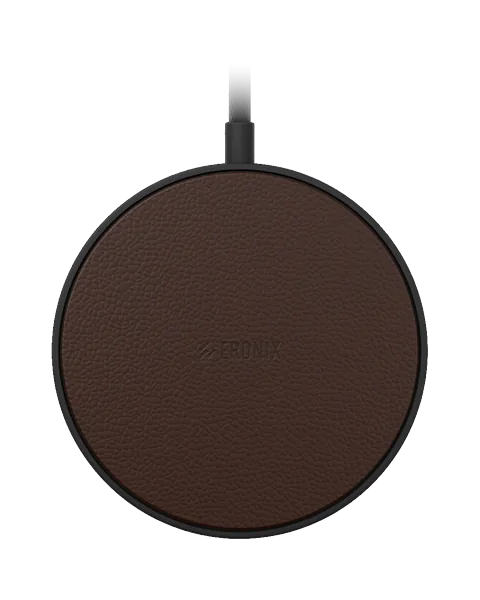
Its 15 V 3 A step also clears Apple's 15 V, 2 A requirement for 25 W MagSafe, so the same adapter can sit behind the Magnetic Charger, which charges at Qi2.2 25 W on iPhone 17 and later. The charger's aluminium ring and 1.5 m braided cable keep the bedside neat.

Step by step
- Pick a USB-C PD charger rated 40 W or more.
- Check the label for 15 V or 20 V output steps.
- Use a 3 A USB-C to USB-C cable.
- For MagSafe or Qi2 25W, pair the pad with a 30 W adapter listing 15 V at 2 A.
- Charge in a cool place to keep the phone at its peak longer.
Questions people ask
Is a 30 W charger enough for the iPhone 17 Pro?
It charges quickly, but Apple's fastest claim of 50% in about 20 minutes is stated with a 40 W or higher adapter. ChargerLAB measured the Pro models peaking near 36 W, so a 30 W charger will be a few minutes slower in the first half of the charge. It is ideal for MagSafe at 25 W.
Can I use my old 20 W iPhone charger with the iPhone 17 Pro?
Yes. It is safe and still fast charges, just more slowly than 40 W. ChargerLAB's timing on the base iPhone 17 showed 27 minutes to 50% on 20 W against 19 minutes on 40 W. Expect a similar or slightly larger gap on the 17 Pro, which can draw more power.
Does a 100 W charger damage the iPhone 17 Pro?
No. USB Power Delivery lets the phone request only the power it can take. ChargerLAB measured the iPhone 17 Pro Max at about 36 W on Apple chargers up to 140 W, which shows the phone caps its own intake whatever the charger's rating.
How fast is MagSafe on the iPhone 17 Pro?
Apple lists up to 25 W on its 25 W-tier MagSafe Charger, with a 30 W or higher adapter rated at 15 V and 2 A or more. Connecting a wired USB-C accessory while on MagSafe caps the 17 Pro at 10 W, according to Apple.
Sources
- Apple Support: Fast charge your iPhone · accessed 22 Nov 2026
- Apple Support: How to use your MagSafe Charger · accessed 22 Nov 2026
- MacRumors: iPhone 17 Pro Max's USB-C charging speeds tested with Apple chargers · 22 Sep 2025
- MacRumors: Regular iPhone 17's USB-C charging speeds tested with Apple chargers · 26 Sep 2025
- MacRumors: Apple's 40W to 60W charger key advantage · 17 Sep 2025
- Notebookcheck: iPhone 17 charging test with Apple's 40 W charger · 8 Nov 2025
- Belkin India: Everything you need to know about Qi2 25W wireless charging · accessed 22 Nov 2026
- ChargerLAB: Ultimate cable selection guide for everyone · accessed 22 Nov 2026
USB-C Power Delivery
One connector, a negotiated contract.
Read →Buying guide · 5 min readWhich charger does the iPhone 18 Pro need?
Half a battery in 15 minutes, but only if your charger speaks one new word: AVS.
Read →Buying guide · 4 min readWhich charger does a 3-in-1 wireless stand need?
The stand promises the watts. The plug in the wall decides whether you get them.
Read →Buying guide · 4 min readWhich charger does the iPhone 17 need?
The new 20-minute claim is real, but the last watts cost more than they give.
Read →Buying guide · 4 min readWhich charger does the iPhone 18 Pro Max need?
The biggest iPhone battery yet, filled to half in the time it takes to drink a chai.
Read →Explainer · 5 min readUSB Power Delivery explained in one page
How a charger and a phone agree on power before it flows, and how to read the label.
Read →