Journal · Comparison · 4 min read
1 m vs 2 m cables: does length matter?
Doubling the length doubles the resistance. Whether you notice depends on the copper.
The plug is behind the bed, the phone is in your hand, and a 1 m cable leaves you leaning over the edge. A 2 m cable would fix that, but someone has told you longer cables charge slower. Do they?
Short answerA well-made 2 m USB-C cable charges at the same speed as a 1 m cable with the same rating. Length does add electrical resistance, but the thickness of the copper inside decides how much that matters. Buy the length you need, rated for your phone's current, from a maker that publishes its ratings.
The numbers: resistance, length and loss
Copper's resistance is fixed by its thickness. American Wire Gauge tables for copper give about 33 milliohms per metre for 20 AWG copper, 53 for 22 AWG, 84 for 24 AWG and 134 for 26 AWG. Thinner wire has a higher gauge number and more resistance, so the gauge inside a cable matters more than its length printed on the box.
Charging current travels down one wire and back along another, so a 2 m cable has 4 m of copper in the power loop. Worked through for illustration, with 20 AWG power wires: a 1 m cable has about 0.07 ohms in the loop, a 2 m cable about 0.13 ohms. At 3 A, that is roughly 0.2 V and 0.4 V lost, and about 0.6 W and 1.2 W turned into heat. On a 27 W phone charge at 9 V, the 2 m cable costs a few percent; on 60 W at 20 V, about 2%.
Thin wire changes the picture. The same 2 m cable built with 26 AWG power wires would lose four times as much, which is how cheap long cables earn their reputation.
The rating does not change with length. Google's ChromiumOS hardware notes say every USB-C cable must be able to carry 3 A. Apple ships a 2 m USB-C to MagSafe 3 cable with its MacBook Pro models, which charge at up to 140 W.
| Wire gauge | Resistance per metre |
|---|---|
| 20 AWG | About 33 mΩ |
| 22 AWG | About 53 mΩ |
| 24 AWG | About 84 mΩ |
| 26 AWG | About 134 mΩ |
Source: American wire gauge resistance table
How length affects charging
A cable is a pipe for electrons. Every metre of copper resists the flow a little, and the resistance turns some energy into heat and lowers the voltage that reaches the phone. A longer pipe means more resistance; a wider pipe means less.
Think of drinking juice through a straw. A long thin straw is hard work; a long wide straw is easy. A short thin straw can be harder than a long wide one. Wire gauge is the width of the straw, and length is how long it is.
Modern charging handles small losses. With USB Power Delivery, the charger and phone agree a voltage, and the phone's own charging circuit converts it for the battery. A small voltage drop along a good cable is absorbed within that conversion, so a few tenths of a volt rarely change the speed you see on screen. A large drop, from thin wire or a worn plug, can push the phone into a slower mode.
When length really matters
High-current charging. Samsung's 45 W phones pull close to 5 A, per ChargerLAB's tests. At 5 A, losses grow with the square of current, so a thin long cable shows its weakness here first.
Very long or very cheap cables. Three-metre cables with thin wire can noticeably slow charging and run warm along their length.
Clutter and wear. ChargerLAB's guide suggests 1 m for everyday use, 2 to 3 m where you need reach, and short cables for power banks. Extra length that drags on the floor wears out faster.
Laptops on long cables. At 100 W and 5 A, the same losses nearly triple compared with 3 A, so a long laptop cable should be one built and rated for 100 W, not a phone cable pressed into service.
What to check before you buy
Check the current or watt rating, not just the length. A 2 m cable should still state 3 A or 60 W, or 5 A or 100 W.
Check for an e-marker on 5 A cables. Above 3 A, ChargerLAB notes, cables must carry one.
Feel the thickness. Between two cables of the same rating and length, a slightly thicker one usually carries heavier copper.
Test it. Plug in your phone with the long cable and check that it shows fast charging, then compare the first ten minutes with your short cable.
Match length to the room. Measure from socket to where you hold the phone and add a little slack. More than that is clutter.
Myth corner
Myth: any 2 m cable charges slower than any 1 m cable. Fact: length is only half the equation. A 2 m cable with thick copper can have less resistance than a 1 m cable with thin copper. The rating and build quality decide speed far more than the number of metres.
The right one for you
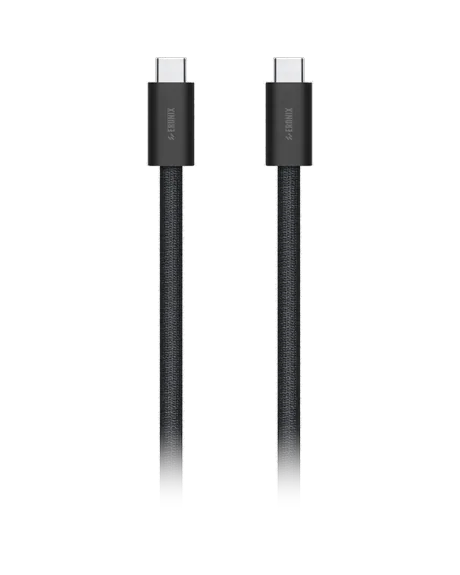
When the socket is behind the bed, the Power Cable 240 W gives 2 m of reach with a 240 W rating and an e-marker, so its rating, not its length, sets the ceiling for a phone or a MacBook Pro.
Where 1 m is enough, the Everyday Cable is USB-C to USB-C at 60 W, the 3 A level every phone needs, braided, with aluminium shells and a leather tie.

Step by step
- Measure from the socket to where you use the phone and add a little slack.
- Choose a cable of that length rated for your phone's current: 3 A or 5 A.
- Confirm fast charging works with the new cable.
- Keep long cables uncoiled while charging.
Questions people ask
Is a 3 m charging cable safe?
Yes, if it is well made and rated for your phone's current. Longer cables lose a little more energy as heat, so thin, cheap 3 m cables can run warm and charge slowly. Choose one that states its current rating and keep it uncoiled while charging.
Does a longer cable damage the battery?
No. A longer cable can only reduce the power reaching the phone slightly; it does not push extra voltage or current into the battery. The phone's charging circuit controls the battery. The only practical effects of a poor long cable are slower charging and a warmer cable.
Should I buy a 1 m or 2 m cable for my car?
Usually 1 m. The distance from a car's socket to a dashboard or vent mount is short, and extra length can tangle with the gear lever or seat. Choose 2 m only if passengers in the back will use it.
Do longer cables affect data transfer speed?
Data and charging are separate questions. Many charging cables carry data only at USB 2 speed whatever their length, while cables built for fast data are rated and labelled for it. For charging alone, a good long cable is fine. If you move large files, check the data rating printed on the cable.
Why does my long cable get warm?
Current flowing through copper's resistance makes heat, and a longer or thinner cable has more resistance. A cable that feels mildly warm at high power is normal. One that becomes hot, especially at the plug, should be replaced, as the connector or wire may be damaged.
Sources
- American wire gauge (Wikipedia, resistance table) · accessed 22 Nov 2026
- Cable and Adapter Tips and Tricks (ChromiumOS developer library) · accessed 22 Nov 2026
- MacBook Pro - Technical Specifications (Apple) · accessed 22 Nov 2026
- ChargerLAB's Ultimate Cable Selection Guide for Everyone (ChargerLAB) · 28 Jul 2023
- 45W Compatibility Test of Samsung Galaxy S24 Ultra (ChargerLAB) · 5 Aug 2024
USB-C Power Delivery
One connector, a negotiated contract.
Read →Buying guide · 5 min readWhich charger does the iPhone 18 Pro need?
Half a battery in 15 minutes, but only if your charger speaks one new word: AVS.
Read →Buying guide · 4 min readWhich charger does the Galaxy S26 Ultra need?
Sixty watts on the box. Here is what it takes to get it.
Read →Buying guide · 4 min readDo you need a 100 W cable? When it matters
The difference between a 60 W and a 100 W cable is one small chip. Here is when it counts.
Read →Buying guide · 4 min readWhich charger does the Galaxy S26+ need?
Samsung promises 69 percent in about 30 minutes. One word on the label decides it.
Read →Comparison · 6 min read25 W vs 45 W for a Galaxy: what you actually gain
The extra 20 W looks big on the box. On the clock, it is a few minutes.
Read →