Journal · Buying guide · 4 min read
Do you need a 100 W cable? When it matters
The difference between a 60 W and a 100 W cable is one small chip. Here is when it counts.
Two USB-C cables hang side by side at the counter. They look the same, but one says 60 W and the other 100 W, and the second costs more. Does the extra 40 W do anything for your phone?
Short answerA 60 W cable carries up to 3 A; a 100 W cable carries up to 5 A. Most phones, including every recent iPhone, charge at full speed on a good 60 W cable. Buy 100 W for Samsung's 45 W super fast charging, for laptops above 60 W, or for one cable shared with a laptop.
The numbers on a USB-C cable
ChargerLAB's cable selection guide sets out the two everyday tiers. A 60 W cable is rated for 20 V at 3 A. A 100 W cable is rated for 20 V at 5 A. A third tier, 240 W, was added by USB PD 3.1, using up to 48 V at 5 A, according to the USB Promoter Group's 2021 announcement.
The baseline is generous. Google's ChromiumOS hardware notes state that all USB-C cables must be able to carry 3 A. That alone covers 60 W at 20 V, which is more than most phones draw.
Now compare devices. ChargerLAB measured the iPhone 16 Pro Max holding about 28 to 31 W on capable chargers, and the phone reaches that at 15 V, which is about 2 A. Android Authority reports that the Galaxy S26 Ultra's 60 W uses 20 V at 3 A, so a 3 A cable is enough for it too. Samsung's 45 W phones are the exception: they keep voltage near 9 V and pull close to 5 A, which ChargerLAB measured on the Galaxy S24 Ultra. Samsung's own support page says super fast charging 2.0 on the S24 series needs a 5 A e-marked cable.
| Cable rating | Carries | E-marker | Who needs it |
|---|---|---|---|
| 60 W | 20 V at 3 A | Not required | iPhone, most Pixels, 25 W Galaxy, Galaxy S26 Ultra |
| 100 W | 20 V at 5 A | Required | 45 W Galaxy, laptops up to 100 W |
| 240 W | Up to 48 V at 5 A | Required | Laptops above 100 W, with an EPR charger |
Source: ChargerLAB cable guide; USB Promoter Group, 2021; Samsung support
How the cable tells the charger what it can carry
Any cable rated above 3 A must contain an e-marker, a tiny chip in the plug, according to ChargerLAB's guide. The chip stores the cable's current rating and data abilities. Before raising current beyond 3 A, the charger reads it. If there is no chip, the charger assumes 3 A and stops there.
Picture a road bridge with a weight sign. A truck driver reads the sign before crossing. No sign, and the driver assumes the lowest safe load. The e-marker is that sign. The charger is not being cautious for fun: pushing 5 A through wire built for 3 A heats the cable and the plug.
This is why the wrong cable rarely damages anything but often slows things down. A 45 W Galaxy on a 3 A cable falls back to its lower fast-charging mode, and a 100 W laptop on a 3 A cable is held to 60 W.
When 100 W matters, and when it does not
It matters for Samsung phones rated 45 W, because they need 5 A. It matters for laptops whose original adapter is above 60 W. It matters if you buy one charger for phone and laptop and want one cable to serve both.
It does not matter for iPhones, for most Pixels and for Galaxy phones rated 25 W. It does not matter for earbuds, watches or power banks charged at 20 W or so.
It is not enough for laptops above 100 W. Those need a 240 W cable and an EPR charger. Data speed is a separate question. ChargerLAB notes that most charging-focused USB-C cables use USB 2.0 for data, whatever their wattage, so check the data rating if you move large files or connect a monitor.
What to check before you buy
Read the rating on the packaging: 60 W or 3 A, 100 W or 5 A, 240 W. If a cable claims 100 W, it should also say it is e-marked. A 100 W claim with no e-marker mention is a reason to ask more questions.
Match it to your highest-power device, not your phone alone. If a laptop will share the cable, buy for the laptop.
Check the connector fit. The plug should click in firmly with no wobble; loose plugs heat at higher currents.
Choose length for use. ChargerLAB suggests 1 m for daily use and 2 to 3 m for a bed or sofa, with shorter cables for power banks. Longer cables cost more for the same rating.
Confirm with the device. On Galaxy phones, the lock screen should read Super fast charging 2.0 with a 45 W charger and 5 A cable.
Myth corner
Myth: a 100 W cable will charge any phone faster than a 60 W cable. Fact: the cable only sets a ceiling. If the phone draws about 30 W at 15 V, as the iPhone 16 Pro Max does, a 3 A cable is already well above what it needs, and a 5 A cable changes nothing.
The right one for you
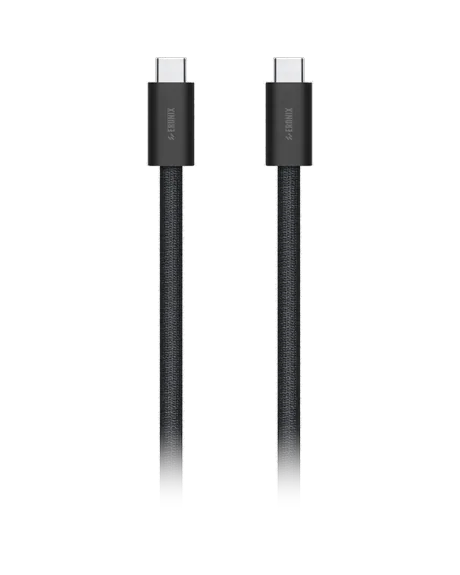
Buy for the device that needs the most. For an iPhone, a Pixel or a 25 W Galaxy, the Everyday Cable is rated 60 W, the 3 A tier this article shows is enough, in 1 m of braided cable with aluminium shells and a leather tie.
For a 45 W Galaxy, a laptop above 60 W, or one cable shared between the two, the Power Cable 240 W is e-marked and rated 240 W EPR, clearing the 5 A line with room for laptops above 100 W. It runs 2 m, the length suggested for a bed or a sofa. Both are bend-tested to 10,000 bends.

Step by step
- Find the highest charging power among the devices that will use the cable.
- If it is 60 W or less and not a 45 W Samsung phone, choose a 60 W (3 A) cable.
- For 45 W Samsung phones or laptops up to 100 W, choose a 100 W (5 A) e-marked cable.
- For laptops above 100 W, choose a 240 W cable with an EPR charger.
- Pick the shortest length that suits where you charge.
Questions people ask
Is a 3 A USB-C cable the same as a 60 W cable?
In practice, yes. USB-C cables top out at 20 V in the standard power range, and 20 V at 3 A is 60 W. Cables are sold by either label. A 3 A cable carries 60 W only when the charger and device agree on 20 V; at lower voltages it carries less.
Can a 100 W cable damage my phone?
No. A cable does not push power; the charger and phone agree on how much flows. A 100 W cable simply allows up to 5 A if both ends ask for it. A phone that draws 20 W will draw 20 W through any working cable.
Why does my Samsung show Fast charging, not Super fast charging?
On 45 W Galaxy phones, a common cause is a 3 A cable. Samsung's support page says super fast charging 2.0 needs a 45 W adapter and a 5 A e-marked cable. Also check that Super fast charging is switched on in the battery settings.
Do I need a 100 W cable for a MacBook Air?
Only for its fastest charging. Apple's current MacBook Air ships with a 40 W Dynamic Power Adapter with 60 W Max, and Apple says it is fast-charge capable with a 70 W or higher USB PD source. A 60 W cable sets a 60 W ceiling, so a 100 W cable is the safe pick for a 70 W adapter.
Are braided cables better than plain ones?
Braiding helps durability, not speed. ChargerLAB notes braided nylon or Kevlar outer jackets resist wear, while TPE and silicone are flexible and common. The current rating depends on the wire and e-marker inside, so read the rating rather than judging by the jacket.
Sources
- ChargerLAB's Ultimate Cable Selection Guide for Everyone (ChargerLAB) · 28 Jul 2023
- What's the difference between 5A cable and 3A cable (ChargerLAB) · 29 Jun 2022
- Cable and Adapter Tips and Tricks (ChromiumOS developer library) · accessed 22 Nov 2026
- 45W Compatibility Test of Samsung Galaxy S24 Ultra (ChargerLAB) · 5 Aug 2024
- How to use super fast charging on Galaxy S24 series (Samsung UK support) · accessed 22 Nov 2026
- Improved Charging Power | Charging Review of iPhone 16 Pro Max (ChargerLAB) · 27 Sep 2024
- I tested the Galaxy S26 Ultra's 60W charging (Android Authority) · accessed 22 Nov 2026
- USB PD 3.1 announcement (USB Promoter Group) · 26 May 2021
- MacBook Air - Technical Specifications (Apple) · accessed 22 Nov 2026
USB-C Power Delivery
One connector, a negotiated contract.
Read →Buying guide · 5 min readWhich charger does the iPhone 18 Pro need?
Half a battery in 15 minutes, but only if your charger speaks one new word: AVS.
Read →Buying guide · 4 min readWhich charger does the Galaxy S26 Ultra need?
Sixty watts on the box. Here is what it takes to get it.
Read →Buying guide · 4 min readWhich charger does the Galaxy S26+ need?
Samsung promises 69 percent in about 30 minutes. One word on the label decides it.
Read →Buying guide · 5 min readWhich car charger can fast-charge a Galaxy?
The socket in your dashboard is not the limit. The protocol on the USB-C port is.
Read →Buying guide · 5 min readWhich charger does the Galaxy S26 need?
Three phones, three speeds, one protocol called PPS. Here is what to buy and what to skip.
Read →