Journal · Explainer · 5 min read
How wireless chargers detect foreign objects
A coin under your phone can get hot. A good charger notices before you do.
Drop a coin, a ring or a set of keys on a wireless pad and switch it on, and the metal can grow hot enough to hurt. So what stops your charger from cooking the paper clip that slid under your phone on the desk?
Short answerForeign object detection. A Qi charger measures its own coil before it sends real power, and while charging it keeps comparing the power it sends with the power the phone reports receiving. If energy goes missing, something else is absorbing it, usually metal turning it into heat, and the charger cuts or limits power.
Why metal on a wireless pad heats up
A wireless charger works by making a magnetic field that flips direction more than a hundred thousand times a second. The Qi article on Wikipedia, summarising the specification, gives reference designs an operating range of 105 to 205 kHz. Any conductor sitting in that field has currents induced in it, just as the phone's receiver coil does. A coin has no circuit to use that energy, so it simply warms up, the same principle an induction cooktop uses to heat a steel pan.
The Wikipedia article on inductive charging notes that metal between the active coils of higher-power systems can pose a fire or burn risk. That is why detection is not optional: Qi has required foreign object detection since version 1.1 of the specification in March 2012. Version 1.2 in 2015 made it more sensitive, and version 1.3 in 2021 tightened how it is tested.
| Qi version | Year | What changed |
|---|---|---|
| 1.1 | March 2012 | Foreign object detection required |
| 1.2 | 2015 | Detection made more sensitive |
| 1.3 | 2021 | Tighter testing of detection |
| 2.2 | 2025 | Mated quality-factor check; power-loss calibration above 15 W |
Source: Qi (standard) reference; Wireless Power Consortium, accessed 22 Nov 2026
Energy at the wall (Wh)
Source: 2020 wall-meter test, summarised by TechSpot
The numbers: what the published sources show
The detailed thresholds a charger uses are in the Qi specification itself, which the Wireless Power Consortium makes available only to its members. Public sources give the structure, not the exact limits, and this article does not guess them.
What is published shows how sensitive the system has to be. In an amateur Pixel 4 wall-meter test from 2020, summarised by TechSpot and by Wikipedia, a full charge took about 14.26 Wh by cable and about 19.8 Wh on a stand-style wireless charger. On a generic pad, a misaligned phone pushed that as high as 25.62 Wh, about 80 percent more than the cable. That extra energy became heat in the coils and electronics. A charger has to tell normal losses like these apart from the loss into a stray coin.
The WPC knowledge base gives typical coupling between charger and phone coils of 0.3 to 0.6 on a scale of 0 to 1, and a coil quality factor of around 100 for mass-produced coils. Both numbers matter, because a foreign object changes both.
How foreign object detection works
There are two main checks, and modern chargers use both.
The first happens before charging starts. The charger measures the quality factor of its own coil, a figure the WPC defines from the coil's inductance and resistance. A piece of metal near the coil drains energy and pulls that number down. According to the Wikipedia summary of the standard, version 2.2 added a mated quality-factor check, done with the phone in place, before power transfer begins.
The second check runs the whole time. The phone regularly reports how much power it is receiving, by briefly changing the load on its coil so the charger can read the message. The charger knows how much power it is sending. It subtracts the two and allows for its own expected losses. If the gap is larger than it should be, energy is going somewhere it should not, and the charger reduces or stops power. Version 2.2 added power-loss calibration for this check above 15 W, where the stakes are higher.
Think of it like a shop that weighs every delivery. The warehouse logs what left; the shop logs what arrived. A small difference is normal packaging. A large one means something fell off the truck, and the next delivery is held until someone checks.
What a detection looks like at home
On most pads, a detected object shows up as a blinking or coloured status light, a charge that starts and stops, or no charging at all. Apple's guidance asks you to keep the MagSafe charger clear of metal objects and foreign material, and says that if you put the iPhone down before plugging the charger in, you should lift it off, wait three seconds and place it again.
Cases with cards are a common trigger. Apple warns that credit cards, security badges, passports and key fobs placed between iPhone and charger can have their magnetic strips or RFID chips damaged, and should be removed from cases before charging. Thick, metal and battery cases can also stop or slow charging.
What to check before you buy
Search the charger in the Wireless Power Consortium's product database. The WPC itself says this is how to be certain a product was tested to its standard, which includes foreign object detection.
Ask whether the pad has a clear fault indicator. A light or pattern that signals a foreign object is far more useful than a pad that silently stops.
Check the surface size. A large flat pad on a cluttered desk invites stray coins and clips; a magnetic puck or stand leaves less room for them.
Check your case. If it holds cards or has a metal plate for a car mount, plan to charge without it, or choose a case made for wireless charging.
Myth corner
Myth: if the charger did not shut off, the object on it must be safe. Detection reacts to energy that goes missing, and the exact limits are not public. Small or thin metal may stay below the threshold and still warm up. Clear the pad before charging and do not rely on the charger to notice everything.
The right one for you
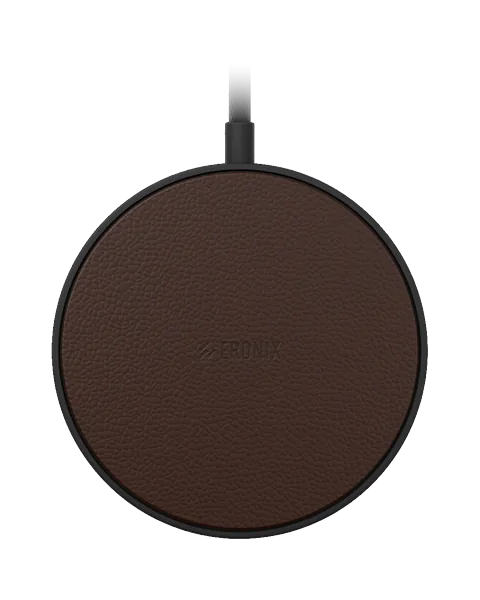
A large flat pad invites the stray coin; a magnetic charger leaves far less room for one. The Magnetic Charger snaps onto the back of iPhone 12 and later, so the coils meet in the same place every time, and its Qi2.2 charging reaches up to 25 W on iPhone 17 and later.
Its ring is aluminium, on a 1.5 m braided cable, in Black or Tan. Take the cards out of the case, snap it on, and the desk around it can stay as cluttered as it likes.
Step by step
- Clear the pad of coins, keys, clips and jewellery before placing the phone.
- Remove cards, badges and metal plates from the phone case.
- Plug the charger in first, then place the phone centred on the coil.
- If the light blinks or charging stops, lift the phone, wait three seconds and replace it.
- Search the charger's model in the Wireless Power Consortium product database.
Questions people ask
Why is my wireless charger light blinking?
On many pads a blinking light means a fault, most often a foreign object such as a coin, key or metal plate, or a phone that is misaligned. Remove everything from the pad and the case, wait a few seconds and place the phone again. Apple suggests lifting the phone off, waiting three seconds and replacing it.
Can a wireless charger damage my credit card?
It can. Apple warns that credit cards, security badges, passports and key fobs placed between an iPhone and a MagSafe or Qi charger can have their magnetic strips or RFID chips damaged. Remove cards from a wallet case before charging, or charge the phone without the case.
Is it safe to wirelessly charge a phone with a metal case?
Not recommended. Apple notes that metal cases can stop or slow wireless charging, and a charger may read the metal as a foreign object and cut power. Metal in the field can also heat up. Use a case designed for wireless charging, or remove it while charging.
Does foreign object detection work on cheap wireless chargers?
It should on any charger built to the Qi standard, which has required foreign object detection since version 1.1. Unlisted chargers may not have been tested against those rules. The Wireless Power Consortium advises searching its product database to confirm a charger was tested to the standard.
Sources
- Qi (standard), Wikipedia · accessed 22 Nov 2026
- Inductive charging, Wikipedia · accessed 22 Nov 2026
- Qi Specifications, Wireless Power Consortium knowledge base · accessed 22 Nov 2026
- For Retail and Brands, Wireless Power Consortium · accessed 22 Nov 2026
- Quality factor, Wireless Power Consortium knowledge base · accessed 22 Nov 2026
- Coupling factor, Wireless Power Consortium knowledge base · accessed 22 Nov 2026
- TechSpot: Wireless charging has an efficiency issue · accessed 22 Nov 2026
- How to use your MagSafe Charger, Apple Support · accessed 22 Nov 2026
- How to wirelessly charge your iPhone, Apple Support · accessed 22 Nov 2026
Qi2
Wireless charging, aligned by magnets.
Read →Explainer · 4 min readQi2 and Qi2.2: the wireless standards in plain words
Same magnets, same snap. The difference is ten watts and a stricter test.
Read →Explainer · 4 min readWhy wireless charging is slower than wired
Power has to jump a gap of air and glass. Some of it never lands.
Read →Explainer · 5 min readDoes a case slow down wireless charging?
The case is rarely the problem. What you tuck inside it often is.
Read →Explainer · 4 min readWhy won't my phone charge on a wireless pad?
Wireless charging is two coils that must line up. Most failures are about that gap.
Read →Explainer · 4 min readWhy does my wireless charger make my phone hot?
Some warmth is the price of no cable. Too much is a sign the coils are not lined up.
Read →