Journal · Explainer · 5 min read
Speaker stereo pairing, explained
Two speakers, one song, split down the middle. Here is how they stay in time.
You own one portable speaker and it sounds good. A friend brings an identical one, you press the pairing button, and suddenly the guitar is on the left and the vocals sit in the middle of the room. How do two speakers know which half of the song to play, and stay perfectly in time?
Short answerIn stereo pairing, one speaker usually connects to your phone and shares the stream with the second, and each plays only its own channel, left or right, on a shared clock. Because the link between speakers is usually the maker's own, pairs normally need the same brand. Place them about 60 degrees apart from where you sit.
The numbers behind a good stereo pair
The classic listening layout, as described in Wikipedia's article on stereophonic sound, is two identical speakers at equal distance from the listener, forming an equilateral triangle, with the speakers about 60 degrees apart as seen from the listening seat.
Timing has to be tight. The same article notes that the human ears are about 17 cm apart, and that a spaced microphone pair 60 cm apart records a delay of about 1.75 ms for sound arriving from the side. The brain uses differences that small to place sounds, so two speakers drifting apart by even a few milliseconds blur the image.
Distance changes balance quickly. In open space, sound falls about 6 dB each time you double your distance from a source, according to Wikipedia's inverse-square law article. If you sit 1 metre from one speaker and 2 metres from the other, the near one will sound noticeably louder, and the stereo image pulls towards it.
| Method | How the second speaker gets audio | Mixing brands |
|---|---|---|
| Relay | The primary forwards the stream; uses double the Bluetooth bandwidth | Rarely; each maker builds its own link |
| Mirroring | The secondary listens to the phone directly; the primary resends what it missed | Rarely; each maker builds its own link |
| Auracast broadcast | One transmitter, many receivers; each plays its own channel on shared timing | Possible when source and speakers support it |
Source: Qualcomm true wireless white paper, 2020; Bluetooth SIG Auracast overview, 2024
How two speakers share one song
Classic Bluetooth audio was designed for one source and one sink: your phone and one speaker. Linking a second device took extra engineering. Qualcomm's white paper on true wireless earbuds describes the original approach, relay, which speaker pairs use in similar form: the primary unit connects to the phone and forwards audio to the secondary, so the phone sees a single device. The paper notes that full relay uses double the Bluetooth bandwidth. Classic Bluetooth sets no common standard for that unit-to-unit link, so makers build their own, which is why mixing brands rarely works.
Newer designs reduce relaying. The same paper describes mirroring, in which the secondary listens in on the phone's packets directly and the primary resends only what it missed when the link is poor, with both units following the same link updates. Roles can also swap as conditions change.
Bluetooth LE Audio adds a standard route. The Bluetooth SIG's overview of Auracast broadcast audio explains that one transmitter can serve many receivers, that a stereo stream can be split so each device renders only its own channel, and that each receiver gets timing information so left and right play at exactly the same time. Cross-brand stereo pairs become possible when both the source and speakers support it.
Think of it like two tabla players in a jugalbandi with one taal. Each plays a different part, but both follow the same beat cycle. If one counts slightly late, the performance falls apart, however good each player is alone. The shared clock is the taal.
Stereo mode or party mode?
Many speakers offer two ways to link. Stereo mode splits the music into left and right; it sounds best when you sit between the speakers. Party mode, or a similar name, sends the full mix to every speaker, so people anywhere in a room or garden hear the whole song. For a living room, choose stereo. For a terrace or a large hall, choose party mode, so nobody hears only the bass line or only the guitar.
Getting the best from a pair at home
Put both speakers at roughly ear height when seated, on stable surfaces, and keep them clear of objects that block the drivers. Matching heights and distances keeps the two sides equally loud.
Give them room from each other. Too close together, and the left and right blend into something close to mono; too far apart, and a gap opens in the middle. The 60 degree triangle is a good starting point, adjusted by ear.
Set the volume on your phone, not unevenly on each speaker, so both sides stay balanced.
What to check before you buy
Check that the model supports stereo pairing, not just party mode, and whether it pairs only with the identical model or with others from the same maker.
Look for Auracast or LE Audio support if you want flexibility across brands, and check that your phone supports it too.
Check the range between speakers. The relay link has to cover the distance you plan, often across a room.
Check how the pair is controlled. A companion app that shows which speaker is left and lets you swap them saves time.
Plan placement. Two speakers at ear height, about 60 degrees apart and the same distance from your seat, will do more for sound than any setting.
Myth corner
Myth: any two Bluetooth speakers can be stereo paired. Classic Bluetooth links one phone to one device, and Qualcomm's paper shows how much extra relay engineering it takes for a matched pair to appear to the phone as one. That link is built by each maker. Auracast broadcast changes this, but only where every device supports it.
The right one for you
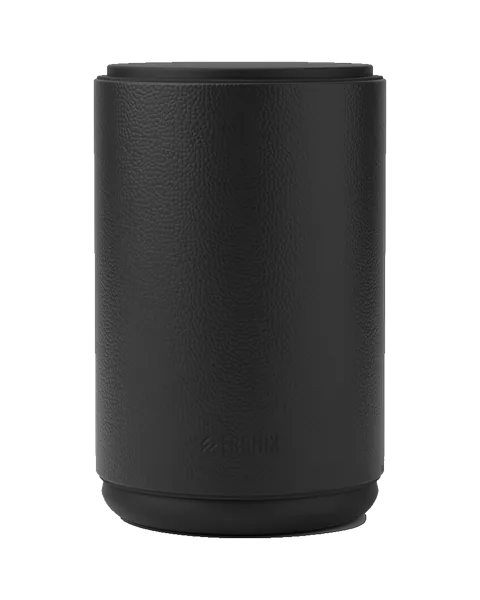
A true stereo pair needs speakers that offer stereo mode, not only party mode. The Crescendo pairs with a second unit for real left and right, and lists Auracast, the LE Audio broadcast route described above.
Each unit is already stereo, 2 × 15 W with dual passive radiators, and runs for 24 hours. Rated IP67, with aluminium end caps and a fabric wrap, the pair moves from the living room to the terrace without a second thought.
Step by step
- Check both speakers support stereo pairing with each other.
- Update both speakers' firmware.
- Turn on stereo or TWS mode on the first speaker, then add the second.
- Place the speakers about 60 degrees apart and the same distance from your seat.
- Use the app or manual to confirm which speaker is left and which is right.
Questions people ask
Can I connect two different brand Bluetooth speakers together?
Usually not for true stereo. The speaker-to-speaker link in most pairs is the maker's own design. Auracast broadcast audio, part of Bluetooth LE Audio, lets one source send to many receivers and split stereo channels, so cross-brand setups work where the phone and both speakers support it.
What is the difference between TWS mode and party mode on speakers?
In TWS or stereo mode, one speaker plays the left channel and the other the right, best for listening between them. In party mode, each speaker plays the full mix, better for open spaces where listeners move around. Names vary by maker; check the manual for what each mode does.
How far apart should two stereo speakers be?
The classic layout is an equilateral triangle: speakers the same distance from you as from each other, about 60 degrees apart from your seat, according to Wikipedia's summary of stereo practice. Keep both at the same distance from you, since sound falls about 6 dB per doubling of distance.
Why is there a delay between my two paired speakers?
The speakers may be too far apart for a clean link, the relay may be dropping packets in a crowded 2.4 GHz area, or the pair may be in a mode without tight sync. Move them closer, re-pair them, reduce Wi-Fi congestion, and update their firmware.
Sources
- Stereophonic sound, Wikipedia · accessed 22 Nov 2026
- Bluetooth SIG: An Overview of Auracast Broadcast Audio · 8 Jan 2024
- Qualcomm: The evolution of true wireless technology (white paper) · 2020
- Inverse-square law, Wikipedia · accessed 22 Nov 2026
Wireless Audio
Bluetooth, codecs, and the milliseconds that matter.
Read →Explainer · 4 min readPortable speakers: what watts mean
A 40 W speaker is not twice as loud as a 20 W one. Here is what the number does tell you.
Read →Explainer · 5 min readLDAC, aptX, AAC: which codec your phone really uses
The logo on the earbud box is a promise. Your phone decides whether it is kept.
Read →Explainer · 5 min readWhat ANC can and cannot block
Why the bus engine fades but the conductor's voice does not, and what to check.
Read →Explainer · 4 min readTransparency mode: how earbuds let the world back in
Your earbuds can hear the platform announcement for you. Here is how, and where it stops.
Read →Explainer · 4 min readWhy earbuds sound different on iPhone and Android
Same earbuds, same song, two phones. The difference starts before the sound reaches you.
Read →