Journal · Comparison · 5 min read
Braided vs rubber cables: which one should you buy?
The jacket decides how long a cable lasts. One number on the box decides its speed.
At any accessory counter, the braided cable costs more, feels thicker and looks tougher than the smooth rubber one beside it. Yet both may stop at exactly 60 W. So what is the braid really buying you: speed, a longer life, or just a nicer feel in the hand?
Short answerA braided jacket helps a cable survive bending, rubbing and life in a bag. It does not charge faster. Speed is set by the current rating inside: a 3 A USB-C cable carries up to 60 W, and a 5 A cable with an e-marker chip carries 100 W, or 240 W if rated for it. Check that number first.
The number that decides charging speed
ChargerLAB's cable selection guide splits everyday USB-C charging cables into two power levels: 60 W, which is 20 V at 3 A, and 100 W, which is 20 V at 5 A. Under the USB Type-C rules it describes, a cable rated at 3 A or below does not need an e-marker chip; a cable above 3 A must carry one, because the charger reads that chip before it will push more current.
The USB Implementers Forum adds the top of the range. USB Power Delivery Revision 3.1, announced in 2021, raised the ceiling to 240 W at 48 V over full-featured USB-C cables. Before that, the limit was 100 W at 20 V and 5 A. None of those limits mention the jacket. A braided 3 A cable stops at 60 W exactly like a rubber 3 A cable.
For a phone, even 60 W is generous. Apple's support page asks for 40 W or higher adapters for the fastest iPhone 17 charging, and ChargerLAB measured the iPhone 17 Pro Max peaking near 36 W, as MacRumors reported. A good 3 A cable in either jacket covers that. Laptops above 60 W are where the 5 A rating starts to matter.
| Rating | Power | E-marker |
|---|---|---|
| 3 A at 20 V | 60 W | Not required |
| 5 A at 20 V | 100 W | Required |
| 5 A at 48 V (PD 3.1) | 240 W | Required |
Source: ChargerLAB cable guide; USB-IF, USB Power Delivery
mΩ per metre
Source: American wire gauge resistance table
What the jacket actually changes
ChargerLAB describes four common outer materials. PVC was once common but tends to yellow and turn fragile near the plug, and is now rare. TPE, a soft, flexible plastic, is used on most current cables. Silicone feels soft, resists tangling and wears well. Braided jackets, usually nylon and sometimes with Kevlar fibre, are thicker and sturdier, and the guide credits them with a longer lifespan.
That lifespan claim is about the outside of the cable. Most cable deaths happen where the wire meets the plug, from bending and pulling at the same spot day after day. A braid spreads that bending over a longer length and resists cuts and scuffs. ChargerLAB's guide does not publish bend-cycle figures for any jacket, and we found no independent lab that publishes comparable bend tests across materials, so treat any bend-count printed on a box as the maker's own claim.
Think of it like a school bag. A tougher fabric keeps the bag looking good for years, but it does not change how many books fit inside. The jacket is the fabric; the copper and the current rating are the space inside.
How copper, not cloth, carries the watts
Power moves through copper wires inside the jacket. Thicker wire has lower resistance, so less energy turns into heat along the way. Standard American Wire Gauge tables show the gap clearly: 20 AWG copper measures about 33 milliohms per metre, while thin 28 AWG copper measures about 213 milliohms per metre, more than six times as much.
At 3 A, that difference shows up as voltage lost along the cable and warmth in your hand. A thin, cheap cable can be wrapped in a thick braid and still use thin copper. A smooth TPE cable can hide thick copper under a slim jacket. You cannot tell by squeezing it, which is why the printed rating and the maker's details matter more than the feel.
Where each type makes sense
A braided cable suits a bag, a car or a bedside that sees daily bending, kinking and the occasional pet. It also tangles less in a pocket. The trade-offs are bulk, a stiffer coil, and fabric that can fray or collect dust at the ends after years of use.
A TPE or silicone cable suits a desk or a travel kit where you want something slim and easy to wipe clean. Silicone in particular coils neatly and resists tangles without the thickness of a braid.
What to check before you buy
Read the current rating on the box or listing: 3 A (60 W) for phones and small laptops, 5 A (100 W or 240 W) for larger laptops. If the box gives only a vague word like fast, ask for the number.
For anything above 60 W, look for a stated e-marker. ChargerLAB notes that USB-C cables rated above 3 A are required to carry one; without it, the charger will hold the cable to 3 A.
Check the strain relief, the flexible collar where the cable meets each plug. Bend it gently at the counter. It should curve smoothly rather than fold sharply at the metal edge.
Match the length to the job. ChargerLAB suggests 1 m for everyday use and 2 to 3 m for charging in bed with the charger on a desk. Every extra metre adds resistance, so a long cable built with thin copper is the one to avoid.
Check data speed only if you need it. Many charging cables carry data at USB 2.0 speed; that is fine for charging, but not for fast file transfers.
Myth corner
Myth: a braided cable charges faster. Fact: speed is set by the cable's current rating and e-marker, the charger and the device. ChargerLAB's power levels of 60 W for 3 A and 100 W for 5 A apply to every jacket. A braid can help the cable last; it cannot add watts.
The right one for you
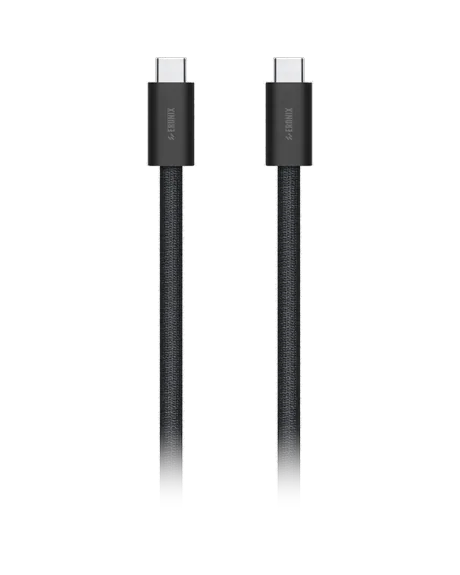
For a phone, the Everyday Cable puts the rating first and the feel second: USB-C to USB-C at 60 W, the 3 A level, 1 m long, in a braided jacket with aluminium shells and a leather tie.
For a laptop above 60 W, the Power Cable 240 W carries the e-marker the charger looks for, rated at 240 W over 2 m, and is braided too.

Step by step
- Find the cable's current rating on the box: 3 A or 5 A.
- Choose 3 A for phones and small laptops, 5 A with an e-marker for devices above 60 W.
- Bend the strain relief at each plug to check it curves smoothly.
- Pick the shortest length that reaches comfortably.
- Choose braided for bags and cars, TPE or silicone for slim desk and travel use.
Questions people ask
Do braided cables last longer than rubber cables?
Usually, yes, for the outside of the cable. ChargerLAB's cable guide describes braided nylon jackets as thicker and sturdier with a longer lifespan. Most failures happen at the plug joint, so good strain relief matters as much as the jacket. No independent lab we found publishes comparable bend tests across materials.
What is TPE in a charging cable?
TPE is a soft, flexible thermoplastic used for the outer jacket of most current cables, according to ChargerLAB. It is easy to mould, comes in many colours and stays flexible. It replaced older PVC jackets, which tended to yellow and become brittle near the plug over time.
Is a 3 A cable enough for a phone?
Yes for current phones. A 3 A USB-C cable carries up to 60 W at 20 V. ChargerLAB measured the iPhone 17 Pro Max peaking near 36 W, as MacRumors reported, well inside that limit. A 5 A cable with an e-marker is only needed for devices drawing more than 60 W, such as larger laptops.
Why does my cable get warm when charging?
Some warmth is normal because copper resistance turns a little power into heat. Thin wire heats more: 28 AWG copper has over six times the resistance of 20 AWG, per standard wire tables. A cable that gets hot, smells or crackles should be replaced, whatever its jacket.
Sources
- ChargerLAB: Ultimate cable selection guide for everyone · accessed 22 Nov 2026
- ChargerLAB: What's the difference between 5A cable and 3A cable · 29 Jun 2022
- USB-IF: USB Power Delivery · accessed 22 Nov 2026
- Wikipedia: American wire gauge (copper resistance table) · accessed 22 Nov 2026
- Apple Support: Fast charge your iPhone · accessed 22 Nov 2026
- MacRumors: iPhone 17 Pro Max USB-C charging speeds tested · 22 Sep 2025
USB-C Power Delivery
One connector, a negotiated contract.
Read →Explainer · 4 min readHotel room charging: making one socket work
One socket behind the bed, three devices, a 7 am meeting. Here is the plan.
Read →Explainer · 4 min readHow to charge a phone fast before a flight
Thirty minutes at the gate can be worth half a battery. Five steps to get it.
Read →Buying guide · 4 min readDo you need a 100 W cable? When it matters
The difference between a 60 W and a 100 W cable is one small chip. Here is when it counts.
Read →Comparison · 4 min read1 m vs 2 m cables: does length matter?
Doubling the length doubles the resistance. Whether you notice depends on the copper.
Read →Explainer · 5 min readCan a 100 W charger damage your phone?
The watts on the brick are a ceiling, not a push. Heat is what your battery remembers.
Read →