Journal · Explainer · 4 min read
Can a phone charge 'too fast' for its cable?
The phone, the charger and the cable agree on a speed before any real current flows.
Pair a new 65 W charger with the thin cable from an old drawer, and a reasonable worry appears: what if the charger pushes more current than that cable can carry? Will it heat up, melt, or damage the phone?
Short answerWith a cable that meets the USB-C standard, no. Every USB-C cable must carry 3 A, and anything above 3 A needs a chip in the cable, an e-marker, that reports 5 A. Phone and charger stay inside what the cable reports. The real risk is a non-compliant cable with thin wires or a false chip.
The limits written into the standard
Google's ChromiumOS hardware notes on USB-C cables state the floor plainly: all cables must support 3 A. ChargerLAB's cable guide adds the ceiling rule: cables rated 3 A or below need no identifying chip, while cables above 3 A must carry an e-marker. It places 3 A cables at 60 W and 5 A cables at 100 W, both at 20 V.
Above 100 W, the Extended Power Range of USB Power Delivery 3.1 takes over. Plugable's explainer describes how a charger verifies that both the device and the cable are EPR-capable before switching to the higher voltages, up to 48 V for 240 W, and that EPR cables must be visibly marked.
Phone makers follow the same logic. Samsung's support page for the Galaxy S24 series says 45 W super fast charging needs a 45 W charger and a 5 A cable, and that the standard cable supports 25 W. Without the right cable, the phone simply uses the slower mode.
| Cable rating | Current | Power | Identifying chip |
|---|---|---|---|
| Standard | 3 A | 60 W at 20 V | Not required |
| 5 A | 5 A | 100 W at 20 V | E-marker required |
| EPR | 5 A | 240 W at 48 V | E-marker; visibly marked |
Source: ChromiumOS developer library; ChargerLAB; Plugable, accessed 22 Nov 2026
Heat along the cable (W)
Source: Wikipedia, American wire gauge table, accessed 22 Nov 2026
How it works: the cable is part of the conversation
When you plug in, no real power flows at first. ChromiumOS notes that a USB PD charger must keep its power line at about 0 V until it detects a device. The charger then offers its menu of voltages and currents, the phone picks one, and if the choice needs more than 3 A the charger first asks the cable's e-marker what it can carry.
Think of it like a lift with a weight plate. The lift can carry many people, but the operator reads the plate before letting anyone in. A plate that says 3 A keeps the load at 3 A. Trouble starts only when the plate is missing or false, which is exactly what a badly made cable can do.
Why thin wires get warm: the numbers
Heat in a cable comes from resistance. Wikipedia's American wire gauge table lists solid copper at 20 °C: 28 AWG wire at about 213 milliohms per metre, 22 AWG at about 53, and 20 AWG at about 33.
A 1 m cable carries current out and back, so power travels through 2 m of wire. With 28 AWG power wires, that is about 0.43 ohms. At 3 A, our arithmetic gives about 1.3 V lost and close to 4 W turned into heat along the cable. With 22 AWG wires, the same current loses about 0.3 V and about 1 W. Real cables use stranded wire and differ in detail, but the trend holds: thin power wires waste more energy and run warmer.
This is why a compliant 5 A cable is built with thicker power conductors, and why a cheap cable falsely claiming 5 A is a genuine concern.
When a cable really is the problem
Warning signs are physical. A cable that feels hot along its length, a plug that is too hot to hold, discolouration near the connector, a burning smell, or charging that starts and stops are all reasons to stop using it.
Damaged cables are a separate risk. Fraying near the plug, a bent connector or exposed wire can short or overheat regardless of rating. Honolulu's fire department advises replacing any cord that is damaged, frayed or feels sticky, and that advice applies to a brand-new cable as much as an old one.
What to check before you buy
Check the rating on the packaging: 60 W or 3 A for most phones, 100 W or 5 A for Galaxy 45 W modes and many laptops, 240 W for USB PD 3.1 EPR laptops.
Check that a 5 A or 240 W claim comes with the wattage clearly marked on the cable or packaging. Plugable notes that EPR cables must now be visibly marked as rated for 240 W.
Check the weight and thickness. A 100 W cable that feels thinner than a phone's bundled cable deserves suspicion.
Check the connectors. They should fit firmly with no wobble, and the strain relief at each end should be solid, not soft rubber that bends sharply.
Myth corner
Myth: a fast charger will force too much current through a slow cable. Under USB-C rules, the charger supplies above 3 A only after the cable's e-marker confirms it can carry more, and a cable without a chip is treated as 3 A. A compliant setup cannot run faster than its weakest link allows.
The right one for you
For a phone, the Everyday Cable is rated 60 W, the 3 A class every USB-C cable must reach, USB-C to USB-C in a braided jacket with aluminium shells, tested to 10,000 bends.
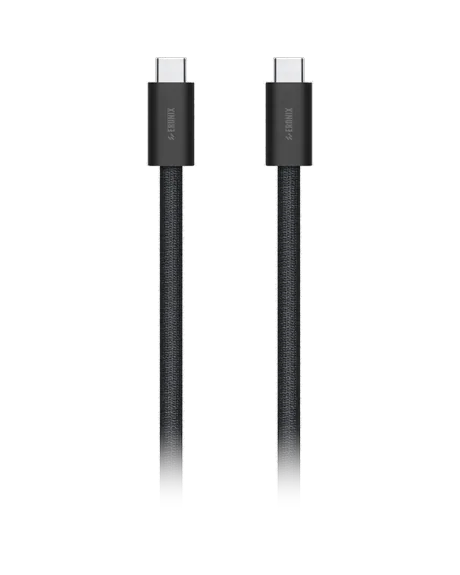
For a MacBook Pro or another laptop, the Power Cable 240 W is EPR-rated and carries an e-marker, braided and 2 m long, so the charger reads the right plate before it raises the power.

Step by step
- Find the wattage your phone or laptop charges at on its maker's support page.
- Choose a cable rated at or above that: 60 W, 100 W or 240 W.
- Check the rating is printed clearly on the cable or packaging.
- Feel the cable and plug after 15 minutes of fast charging.
- Replace any cable that is hot, frayed or loose in the port.
Questions people ask
Is it safe to use a 3 A cable with a 65 W charger?
Yes. A 3 A USB-C cable carries up to 60 W at 20 V, and the charger will not exceed 3 A without a 5 A e-marker in the cable. A laptop that wants 65 W will charge slightly below its maximum. A phone that takes 25 W to 40 W will not notice any difference.
Why does my USB-C cable get warm while charging?
Some warmth is normal at high current, because every wire has resistance. Thin power wires waste more energy as heat; Wikipedia's wire table shows 28 AWG copper with about four times the resistance of 22 AWG. A cable that is hot along its length or at the plug should be replaced.
Do I need a 5 A cable for fast charging?
Only for modes above 3 A. Samsung's Galaxy S24 support page says 45 W super fast charging needs a 5 A cable, while 25 W works with the standard cable. iPhone fast charging stays within 3 A: Notebookcheck measured an iPhone 17 peaking at about 36 W at 15 V, about 2.4 A. Laptops above 60 W need 5 A cables, and above 100 W, cables marked 240 W.
Can a cheap cable damage my phone?
A cable that follows the USB-C standard is very unlikely to. Risk comes from non-compliant cables: wrong internal resistors, false e-marker chips or very thin wires. ChromiumOS hardware notes warn against several such design shortcuts. Signs include heat, intermittent charging or a loose plug. Replace any cable that shows them.
Sources
- Cable and adapter tips and tricks (ChromiumOS developer library) · accessed 22 Nov 2026
- ChargerLAB's Ultimate Cable Selection Guide for Everyone (ChargerLAB) · accessed 22 Nov 2026
- What is 240W USB Extended Power Range (EPR)? (Plugable) · accessed 22 Nov 2026
- American wire gauge (Wikipedia) · accessed 22 Nov 2026
- How to use super fast charging on Galaxy S24 series (Samsung UK Support) · accessed 22 Nov 2026
- Electrical safety (Honolulu Fire Department) · accessed 22 Nov 2026
- iPhone 17 charging test shows negligible improvement with Apple's new 40 W charger (Notebookcheck) · accessed 22 Nov 2026
USB-C Power Delivery
One connector, a negotiated contract.
Read →Comparison · 5 min readBraided vs rubber cables: which one should you buy?
The jacket decides how long a cable lasts. One number on the box decides its speed.
Read →Explainer · 4 min readCan a fake cable damage a phone?
The danger is rarely the copper you can see. It is one tiny part you cannot.
Read →Explainer · 4 min readHotel room charging: making one socket work
One socket behind the bed, three devices, a 7 am meeting. Here is the plan.
Read →Explainer · 4 min readHow to charge a phone fast before a flight
Thirty minutes at the gate can be worth half a battery. Five steps to get it.
Read →Explainer · 5 min readCan a 100 W charger damage your phone?
The watts on the brick are a ceiling, not a push. Heat is what your battery remembers.
Read →