Journal · Explainer · 4 min read
How to know a charger's real output
The box says 100 W. Over half an hour, some chargers quietly deliver much less.
The charger's front says 100 W. The box says 100 W. But is your laptop actually getting 100 W, or is it getting 70 W and taking an extra half hour every day? You cannot see watts. Here is how to find out.
Short answerStart with the output table printed on the charger, which lists each voltage and current it promises. Then measure. A small USB-C power meter between charger and cable shows the real volts, amps and watts while a device charges. Watch it for 30 minutes, not 30 seconds: some high-wattage chargers start at full output, then throttle as they heat up.
What independent testing found
In a test published in June 2026, Tom's Hardware ran 20 wall chargers from 15 W to 140 W with a USB-C tester that reads voltage, current, wattage and protocol, a wall power meter, a cable checked for 240 W, and a large power bank as the load. It logged output at intervals up to 30 minutes and recorded peak temperature at the end.
Most chargers delivered their rated output at first. Chargers below 67 W, including the cheapest, held full output for the whole 30 minutes, and none of the 45 W to 68 W models throttled. The higher-wattage chargers were different. One 100 W model fell from 99 W to 89 W after 15 minutes; one rated 112 W dropped from 101 W to 71 W. All three 140 W chargers in the test throttled, with readings at 30 minutes of 118 W, 99 W and 88 W. Two 100 W-class models held full output throughout.
Efficiency, the share of wall power that reaches the device, was mostly between 89% and 93%, with outliers near 85%. Peak surface temperatures ranged from about 52 °C on a 20 W unit to about 76 °C on a 140 W unit, and one 65 W model passed 70 °C without throttling.
| Charger | Early reading | Later reading |
|---|---|---|
| 100 W model | 99 W | 89 W after 15 min |
| 112 W model | 101 W | 71 W |
| 140 W charger A | Not stated | 118 W at 30 min |
| 140 W charger B | Not stated | 99 W at 30 min |
| 140 W charger C | Not stated | 88 W at 30 min |
Source: Tom's Hardware, 20 wall chargers tested, June 2026
Watts
Source: Tom's Hardware, June 2026
Why chargers throttle
No charger is perfectly efficient. At 90% efficiency, a charger delivering 100 W wastes about 11 W as heat inside a small plastic shell. As it warms, its controller protects the components by reducing output.
Small chargers rarely hit that limit, because their total waste heat is small. Large chargers pack more power into a similar size and must manage heat more carefully. Some are designed to sustain their rating; others are designed to hit it briefly.
Think of a sprinter and a marathon runner. Both can hit a fast pace for a hundred metres. Only one holds it for an hour. A charger's rating tells you its sprint; a 30-minute measurement tells you whether it can run the distance.
How to measure at home
Buy a USB-C power meter that shows volts, amps, watts and ideally the negotiated protocol. Plug it into the charger, then plug your cable into the meter.
Use a device that can actually draw the rated power. A phone cannot test a 100 W charger, because the phone only asks for its own limit. A laptop that charges at 65 W or more, with a low battery, is a much better load.
Use a cable rated for the power, such as 100 W or 240 W for a large charger. Otherwise you are measuring the cable's limit.
Note the reading at 1 minute, 15 minutes and 30 minutes. A steady figure near the rating is a good sign; a steady decline points to thermal throttling.
On multi-port chargers, test each port alone, then with all ports busy, and compare with the per-port table on the label.
What to check before you buy
Read the full output table: each fixed voltage with its current, plus any PPS range. Multiply volts by amps to check the wattage claims.
Check whether the headline figure is per port or total. On multi-port chargers it is usually the total.
Look for independent test results for high-wattage chargers, especially sustained output over 30 minutes.
Check BIS registration and keep the GST invoice in case the charger underperforms.
Reading the wall side too
A plug-in wall power meter, the kind that sits between the socket and the charger, adds the other half of the picture. It shows how much the charger draws from the mains. Divide the USB-C output by the wall draw and you have the charger's efficiency.
Tom's Hardware used exactly this pairing in its test. Most chargers landed between 89% and 93%. A charger far below that range is turning more of your electricity into heat, which is also the heat that eventually makes it throttle.
The wall meter also reveals idle draw. Tom's Hardware measured about 0.3 W for chargers without displays and about 1 W for those with displays, small amounts that add up only if many chargers stay plugged in all year.
Myth corner
Myth: a charger that hits its rated wattage in the first minute is honest. The Tom's Hardware results show several high-wattage chargers meeting their rating at first and dropping by 10 W to 30 W within half an hour. Short tests flatter; sustained tests tell the truth.
The right one for you
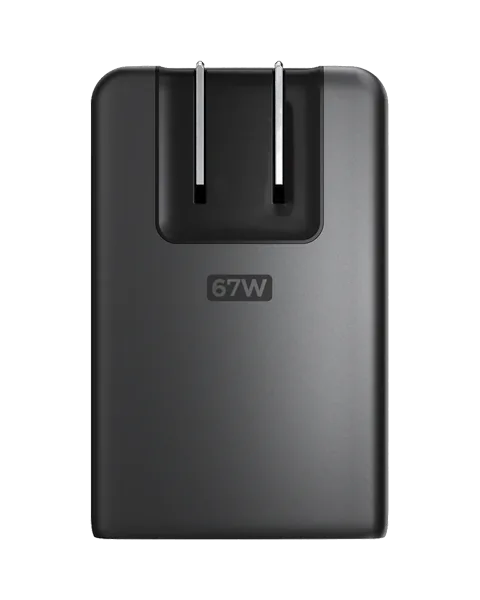
The output table is where an honest charger starts, and the Entropy67's adds up: 20 V at 3.35 A is 67 W from a single USB-C port, and two ports share 65 W as 45 W and 20 W, or 35 W and 30 W.
It is one charger for an iPhone 18 Pro and a MacBook Air, built on GaN3 in a body 14 mm thin, and on the wall meter it draws under 0.05 W idle.
Step by step
- Read the charger's output table and note the maximum per port.
- Insert a USB-C power meter between the charger and a high-rated cable.
- Charge a laptop with a low battery to draw full power.
- Record watts at 1, 15 and 30 minutes.
- Repeat with all ports busy on a multi-port charger.
Questions people ask
How do I check how many watts my charger is giving?
Use a USB-C power meter between the charger and the cable. It displays volts, amps and watts while the device charges. Use a device that can draw the charger's full rating, such as a laptop, and watch the reading for up to 30 minutes.
Why does my charger show less than its rated wattage?
The device may be requesting less, the cable may limit current, or the charger may be throttling for heat. Tom's Hardware found several high-wattage chargers dropping output within 15 to 30 minutes, while models below 67 W held their rating.
Can I test a 100 W charger with my phone?
Not properly. A phone requests only its own maximum, often well below 100 W. You will see the phone's limit, not the charger's. Use a laptop that charges at 65 W or more, with a low battery, and a 100 W or 240 W cable.
What does the output table on a charger mean?
Each line pairs a voltage with a maximum current, such as 9 V at 3 A or 20 V at 5 A. Multiply them for watts: 20 V at 5 A is 100 W. A range line, such as one starting near 3 V, is the PPS programmable output.
Is it normal for a charger to get hot?
Some warmth is normal. Tom's Hardware measured peak surface temperatures from about 52 °C on a 20 W unit to about 76 °C on a 140 W unit. A charger that smells, discolours or becomes too hot to touch should be retired.
Sources
- Tom's Hardware: We tested 20 wall chargers from 15W to 140W · 11 Jun 2026
- USB-IF: USB Charger (USB Power Delivery) · accessed 22 Nov 2026
- BIS CRS portal: Search by registration number · accessed 22 Nov 2026
GaN — Gallium Nitride
The semiconductor that let chargers shrink.
Read →Explainer · 5 min readGaN chargers: what changed and what did not
A new material shrank the charger. Your phone's charging speed stayed where it was.
Read →Explainer · 5 min readHow to charge two laptops from one charger
In one lab test, a 65 W charger gave the second laptop 0 W. Here is how to avoid it.
Read →Explainer · 4 min readHotel room charging: making one socket work
One socket behind the bed, three devices, a 7 am meeting. Here is the plan.
Read →Buying guide · 4 min readHow many watts does a 4-port desk charger really give each port?
The wattage on the box is a shared budget. Every extra cable takes a slice.
Read →Explainer · 4 min readWhat happens inside a charger when you plug it in
Between the wall and your phone, a charger does six jobs in a box you can close a fist on.
Read →