Journal · Explainer · 4 min read
How earbuds connect so fast to iPhones and Galaxies
Open the case, tap once, done. Behind that pop-up is a radio whisper on three channels.
Of Bluetooth Low Energy's 40 radio channels, just 3 carry the short broadcasts that make pairing feel instant. Ten years ago, pairing a headset meant digging through settings, holding a button until a light blinked and sometimes typing 0000. Now you flip open an earbuds case next to your phone and a card slides up asking whether to connect. What changed?
Short answerThe earbuds now announce themselves. When the case opens, they broadcast a short Bluetooth Low Energy message that the phone recognises, so it can show a pop-up and pair in one tap. The phone's account then shares that pairing with your other devices. It works best within one ecosystem and falls back to normal Bluetooth pairing elsewhere.
The radio facts behind one-tap pairing
Bluetooth has two radio systems. The Bluetooth SIG's technology overview describes Classic Bluetooth with 79 channels spaced 1 MHz apart, and Bluetooth Low Energy with 40 channels spaced 2 MHz apart, of which 3 are reserved for advertising and 37 for data. Both work in the 2.4 GHz band.
Those 3 advertising channels are the key. A device can send short adverts on them that any nearby phone can hear without being connected. One-tap pairing systems use these adverts to say, in effect, here is a set of earbuds of this model, ready to pair.
Proximity is part of the design. Apple's AirPods guide says to open the case with the AirPods inside and hold it next to the iPhone or iPad until a setup animation appears. Google's Pixel Buds help says to keep the case next to an unlocked Android 6.0 or later phone, with Bluetooth and Location on, and tap the pairing notification.
| Measure | Classic Bluetooth | Bluetooth Low Energy |
|---|---|---|
| Channels | 79 | 40 (3 advertising, 37 data) |
| Channel spacing | 1 MHz | 2 MHz |
| Band | 2.4 GHz | 2.4 GHz |
Source: Bluetooth SIG: Bluetooth technology overview, accessed 22 Nov 2026
How the pop-up works
When you open the case, the earbuds start advertising. The phone, which is always listening on the advertising channels at low power, sees the advert, checks the model identifier, and judges from signal strength that the earbuds are close. Only then does it show a card. That proximity check stops your phone from popping up for a stranger's earbuds across the café.
You tap Connect. The phone and earbuds exchange encryption keys and set up the audio link, much as they would through the Bluetooth menu, but without you choosing from a list.
Then your account takes over. Apple's guide says that once AirPods are set up on one device, they connect automatically to your other Apple devices signed in to the same Apple Account, and can switch between them, moving to your iPhone when a call arrives. On Android, Google's Fast Pair setup for Pixel Buds asks for a Google Account and the latest Google Play Services, which is how the pairing can follow your account.
Think of a hotel with online check-in. A walk-in guest queues at the desk, shows ID and fills a form. A guest who checked in online walks past the desk because the hotel already knows who they are. The pop-up is online check-in for your earbuds.
Crossing ecosystems
Earbuds from one ecosystem still work on the other, as ordinary Bluetooth headsets. Apple's guide says AirPods pair with Android phones through Bluetooth settings: on recent models you double-tap the front of the open case until the light flashes white. You can listen and talk, but you cannot use Siri, and the instant pop-up and account sync do not apply.
Many Android earbuds likewise pair with iPhones through the Bluetooth menu, keeping basic playback and calls. Extras such as automatic switching, custom controls and firmware updates often depend on the brand's app.
The practical rule is simple. If you live mostly on one platform, earbuds built for that platform's pairing system will feel seamless. If your household mixes iPhones and Android phones, prioritise earbuds that pair cleanly with both through standard Bluetooth, and check that their app is available on both stores.
When the pop-up does not appear
Check that Bluetooth, and on Android Location, are on, and that the phone is unlocked.
Bring the case closer. The pop-up waits for a strong signal, so hold the open case right beside the phone.
Put the earbuds in pairing mode if they were already paired elsewhere. A long press or double-tap on the case, depending on the model, makes them advertise again.
Update the phone and the earbuds' app. The pairing system lives partly in software.
What to check before you buy
Check whether the earbuds support your phone's quick-pair system, such as Google Fast Pair on Android.
Ask what works without the brand's app: controls, EQ and firmware updates often need it.
If you use several devices, check for multipoint or account-based switching, and with which platforms.
Try pairing at the counter with your own phone. A smooth first pairing is a good sign of the experience at home.
Myth corner
Myth: earbuds that pair instantly with one phone brand will not work with another. Underneath the pop-up they are standard Bluetooth devices. They pair through the Bluetooth menu on other phones; you lose convenience features, not basic audio and calls.
The right one for you
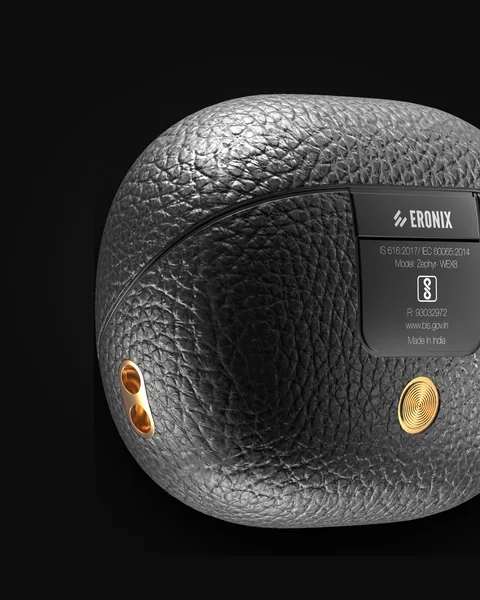
If your household mixes iPhone and Android, choose earbuds that speak standard Bluetooth fluently on both. The Zephyr runs Bluetooth 5.4 with the standard A2DP, AVRCP and HFP profiles, AAC for iPhone and aptX HD for Android phones that support it, and fits iPhone, Galaxy A and S FE, and OnePlus.
Four microphones keep your voice clear on calls, and the case is finished in NeoLeatherette.
Step by step
- Turn on Bluetooth, and on Android also Location.
- Unlock the phone and open the earbuds case next to it.
- Wait for the pop-up or notification and tap Connect.
- If no pop-up appears, put the earbuds in pairing mode and use Bluetooth settings.
- Install the earbuds' app for controls and firmware updates.
Questions people ask
What is Google Fast Pair?
Fast Pair is Android's one-tap pairing system. Supported earbuds broadcast a Bluetooth Low Energy message; a nearby Android 6.0 or later phone with Bluetooth and Location on shows a notification to connect. It can link the earbuds to your Google Account so they are easier to use on other devices.
Can I use AirPods with an Android phone?
Yes. AirPods work as a standard Bluetooth headset on Android. Put them in pairing mode, by double-tapping the front of the case on recent models or holding the back button on older ones, then choose them in Bluetooth settings. You can listen and talk, but Siri and the instant pop-up do not work.
Why do my earbuds connect to my iPad instead of my iPhone?
Apple's automatic switching moves AirPods to whichever signed-in device you are using for audio. To stop it, open Settings on the device, tap the AirPods' name and set Connect to This iPhone to When Last Connected to This iPhone. Calls still move to the iPhone automatically. You can still switch manually from Control Center.
Is one-tap pairing secure?
The pop-up only starts pairing; the phone and earbuds still exchange encryption keys as in normal Bluetooth pairing. The proximity check also means the phone responds only to earbuds held very close, which reduces the chance of connecting to someone else's device by mistake.
Sources
- Bluetooth SIG: Bluetooth technology overview · accessed 22 Nov 2026
- Apple AirPods User Guide: Pair AirPods with an Apple device · accessed 22 Nov 2026
- Apple AirPods User Guide: Pair AirPods with a non-Apple device · accessed 22 Nov 2026
- Apple AirPods User Guide: Automatic switching · accessed 22 Nov 2026
- Google Pixel Buds Help: Set up and pair Pixel Buds · accessed 22 Nov 2026
Wireless Audio
Bluetooth, codecs, and the milliseconds that matter.
Read →Explainer · 5 min readLDAC, aptX, AAC: which codec your phone really uses
The logo on the earbud box is a promise. Your phone decides whether it is kept.
Read →Explainer · 4 min readWhy earbuds sound different on iPhone and Android
Same earbuds, same song, two phones. The difference starts before the sound reaches you.
Read →Explainer · 5 min readHow Bluetooth audio actually travels
From the music file to your ear in about a sixth of a second: every step, in order.
Read →Explainer · 4 min readLatency: why video and games can lag on earbuds
A fifth of a second sounds like nothing, until the gunshot arrives after the muzzle flash.
Read →Explainer · 4 min readCall quality: how earbud microphones handle noise
Your mouth is a hand's width from the mic. Everything else makes up for that.
Read →