Journal · Explainer · 4 min read
The one-charger travel kit
Laptop, phone, earbuds and watch from one socket. The sum to do before you pack.
Unpack a typical work trip and you may find four chargers: a laptop brick, a phone cube, a watch puck and an earbud cable with no cube at all. Hotel rooms rarely have four spare sockets. Could one charger do it all?
Short answerYes. One multi-port USB-C Power Delivery charger can charge a laptop, phone, earbuds and watch from a single socket. Add up the watts of the devices you charge together, choose a charger whose total covers them, check how it splits power between ports, and pack two good USB-C cables. For a laptop and phone, start at 65 W.
The watt budget, device by device
Start with the laptop, because it sets the size. Apple lists 30 W as the minimum to charge a 13-inch MacBook Air and 35 W for the 15-inch, with fast charging from 70 W. A 14-inch MacBook Pro fast-charges from 96 W, and a 16-inch from 140 W.
Then the phone. ChargerLAB's tests show recent iPhones settling at about 23 to 27 W, so 20 to 30 W covers them, while Apple says the iPhone 18 Pro models need a 60 W-capable charger with AVS for their fastest speed. Earbuds and watches need far less.
Now see how power is shared. Apple's support page for its 35 W dual USB-C adapter is a clear example: one device alone gets up to 35 W; a Mac and an iPhone together get up to 17.5 W each; a Mac or iPhone with an Apple Watch or AirPods gets up to 27.5 W and 7.5 W. Most multi-port chargers share power in a similar way, so the headline wattage is a total, not a per-port promise.
A worked example: a 13-inch MacBook Air at 30 W, a phone at about 25 W and earbuds at a few watts add up to roughly 60 W. A 65 W charger with three ports covers them together; a 35 W charger covers them one or two at a time.
| Device | Apple's figure |
|---|---|
| 13-inch MacBook Air | 30 W minimum; 70 W fast charge |
| 15-inch MacBook Air | 35 W minimum; 70 W fast charge |
| 14-inch MacBook Pro | 96 W fast charge |
| 16-inch MacBook Pro | 140 W fast charge |
| Recent iPhones, measured | about 23 to 27 W |
| iPhone 18 Pro, fastest | 60 W-capable with AVS |
Source: Apple Support and specifications; ChargerLAB; accessed 2026
How a multi-port charger decides who gets what
Inside, the charger has a fixed power budget. When you plug in a second device, it renegotiates with the first over USB-C Power Delivery, and each device is offered a new menu of voltages and currents that fits the budget. Briefly, both may pause while this happens.
Think of it like a household water tank feeding several taps. With one tap open, it flows strongly. Open a second, and both slow a little, because the tank's outlet is shared. A larger outlet, a higher-watt charger, keeps every tap running well.
That is why the order you plug things in sometimes matters. Some chargers give the first port the most power; the maker's port table tells you which.
The rest of the kit
Cables: one USB-C to USB-C cable rated for your laptop's wattage, plus a short spare. A cable that handles the laptop handles the phone too.
Plug adapter: Apple's chargers are designed for 100 to 240 V mains, so abroad you need only a plug adapter for the socket shape, not a converter.
Power bank: one bank of 100 Wh or less in your cabin bag for the day, remembering that many airlines now bar using it on board.
Device-specific bits: a watch puck or a cable for any device that does not charge over USB-C.
Three ready-made kits
Phone and earbuds only: a compact 30 W single-port charger, one USB-C cable, and a 10,000 mAh power bank. It covers most phones at full speed and fits in a jacket pocket.
Phone, earbuds and a MacBook Air: a 65 W charger with two or three ports, one laptop-rated USB-C cable, a short spare cable and a plug adapter. Charge the laptop on the strongest port and everything else beside it overnight.
Phone and a 14- or 16-inch MacBook Pro: a 100 W or higher charger, since Apple lists 96 W for fast charging the 14-inch and 140 W for the 16-inch, with a cable rated for that power.
What to check before you buy
Add up the watts of the devices you charge at the same time, and buy a charger whose total covers them with a little margin.
Read the port table. Find the maximum for one port alone and the split with two or three devices connected.
Make sure one port alone can meet your laptop's minimum, and ideally its fast-charge figure.
Check the input reads 100-240 V, and choose a folding plug if you pack tightly.
Hold it before you buy. A compact charger at high load gets warm; give it space on the hotel desk rather than burying it under clothes.
Myth corner
Myth: a 65 W charger gives 65 W to every port. It does not. The total is shared. Apple's own 35 W dual adapter gives up to 17.5 W each to a Mac and an iPhone charging together. Check the split, not just the headline number.
The right one for you
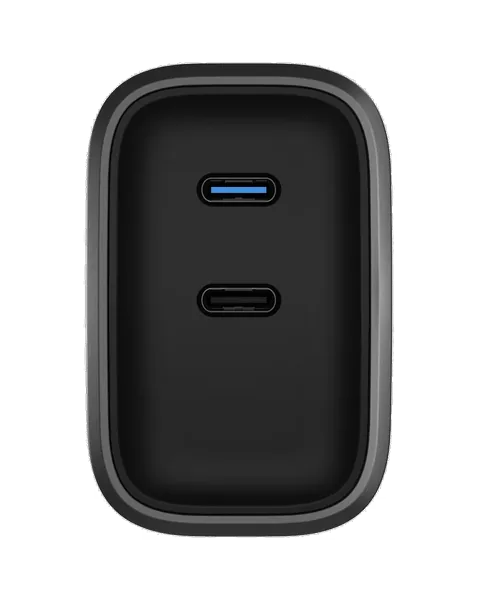
For the phone, earbuds and MacBook Air kit, the ERONIX Travel Charger 65 W packs the whole list into one pouch: 65 W across two USB-C ports with PPS and AVS, a 240 W USB-C cable that covers the laptop and the phone, and IN, UK, EU and US plug heads.
All of it travels in a leather pouch, so the charger, cable and plugs come out of the bag together.
Step by step
- List every device you travel with and its charging watts.
- Add the watts of devices you charge at the same time.
- Choose a multi-port USB-C PD charger that covers that total, with one port meeting your laptop's minimum.
- Pack one laptop-rated USB-C cable and a short spare.
- Add a plug adapter for your destination.
Questions people ask
What wattage charger do I need for a MacBook Air and iPhone together?
About 60 to 65 W to charge both at full speed together. Apple lists 30 W as the minimum for a 13-inch MacBook Air, and recent iPhones draw about 23 to 27 W in ChargerLAB's tests. A 35 W dual charger works, but Apple says it splits to 17.5 W each.
Will a multi-port charger charge my laptop slowly when my phone is plugged in?
Often, yes, because the total output is shared. The laptop may drop to a lower rate. Check the charger's port table, and plug the phone in after the laptop has charged, or overnight, if you need the laptop's full speed.
Is it safe to charge many devices from one charger?
Yes, with a USB-C Power Delivery charger. Each device negotiates its own voltage and current within the charger's budget. Give the charger air on a desk, because a compact unit running several devices at once gets warm.
Do I need a different charger for international travel?
No. Apple says its USB power adapters are designed for 100 to 240 V mains at 50 to 60 Hz, and most branded chargers print a similar range. Pack a plug adapter for the destination's socket shape.
How many cables should I carry?
Usually two: one USB-C to USB-C cable rated for your laptop's wattage and a short spare. Add a dedicated cable only for devices that do not charge over USB-C, such as some watches.
Sources
- Apple Support: How to use the 35W Dual USB-C Port Power Adapter · 24 Jan 2026
- Apple: MacBook Air technical specifications · accessed 22 Nov 2026
- Apple Support: Fast charge your MacBook Air or MacBook Pro · 5 Nov 2026
- Apple Support: Fast charge your iPhone · 22 Oct 2026
- ChargerLAB: Charging review of iPhone 16 Pro · 14 Oct 2024
- Apple Support: About Apple USB power adapters · 11 Jul 2024
USB-C Power Delivery
One connector, a negotiated contract.
Read →Buying guide · 1 min readHow much power does your laptop actually need?
Reading watts like a spec sheet, not a horoscope.
Read →Buying guide · 1 min readChoosing a USB-C charger: a short, honest checklist
Five checks that outlast any marketing cycle.
Read →Explainer · 4 min readHotel room charging: making one socket work
One socket behind the bed, three devices, a 7 am meeting. Here is the plan.
Read →Buying guide · 5 min readTravel adapter or universal charger: what to pack
Your charger already speaks every country's voltage. It is the plug that needs help.
Read →Explainer · 5 min readGaN chargers: what changed and what did not
A new material shrank the charger. Your phone's charging speed stayed where it was.
Read →