Journal · Explainer · 5 min read
Bluetooth on Android: developer options that change audio
Seven taps unlock a hidden audio menu. What each switch does, and which to leave alone.
Many Android phones quietly stream LDAC at 330 kbps, a third of its 990 kbps ceiling. A forum post promises that one hidden switch fixes that and makes your earbuds sound dramatically better. It sits in a menu called Developer options, which you have never opened. Is it real, and is it safe to touch?
Short answerThe menu is real and safe to look at. Android's developer options show and change the Bluetooth codec, sample rate, bits per sample, channel mode and LDAC mode. They help you check the codec in use and fix dropouts. They rarely beat what phone and earbuds already negotiate, and settings may reset on reconnect.
What the menu contains
Android's developer documentation explains how to unlock it: find Build number in Settings, under About phone on a Pixel, and tap it seven times until the phone says you are now a developer. Developer options then appear in Settings.
The same page lists the Bluetooth audio controls. Bluetooth Audio Codec selects SBC, AAC, aptX, aptX HD or LDAC, depending on what the phone and earbuds support. Bluetooth Audio Sample Rate sets the samples per second, Bluetooth Audio Bits Per Sample sets the bit depth, and Bluetooth Audio Channel Mode chooses mono or stereo. Bluetooth Audio LDAC Codec tunes LDAC to favour audio quality, a balance of audio and connection, connection quality, or an adaptive bit rate. There is also an AVRCP version setting for remote controls, and an option to disable USB audio routing.
The numbers behind those choices are large. SoundGuys lists AAC at around 250 to 264 kbps, aptX at 352 kbps, aptX HD at 576 kbps and LDAC at up to 990 kbps. Sony's LDAC page says that in its Best effort mode LDAC switches between 330, 660 and 990 kbps. SoundGuys adds that many phones default LDAC to 330 kbps, and that in its tests the Best effort setting lifted some phones to 660 or 990 kbps while others stayed at 330.
| Codec | Bit rate |
|---|---|
| AAC | About 250 to 264 kbps |
| aptX | 352 kbps |
| aptX HD | 576 kbps |
| LDAC | 330, 660 or 990 kbps |
Source: SoundGuys; Sony; accessed 22 Nov 2026
kbps
Source: SoundGuys, accessed 22 Nov 2026
How the codec choice works
When earbuds connect, the phone and earbuds compare the codecs they share and pick one, usually the best both support. The developer menu shows that choice and lets you override it for the current connection.
Higher bit rates carry more detail but need a stronger radio link. In a quiet room with the phone nearby, LDAC at 990 kbps may play cleanly. On a crowded platform, the same setting leaves little room to resend lost packets, so audio stutters. The adaptive LDAC mode trades bit rate for stability as conditions change.
It is like choosing video quality on a streaming app. On fast home Wi-Fi, the highest setting plays smoothly. On a weak mobile signal, it buffers, and automatic quality keeps the picture moving. Bluetooth codecs make the same trade between detail and smoothness.
Settings worth knowing
Check the active codec. Open developer options while your earbuds play and read the Bluetooth Audio Codec line. It tells you whether the lossless or high-resolution badge in your music app can even reach your ears.
Use adaptive LDAC if you have dropouts. If your earbuds support LDAC and stutter outdoors, the connection or adaptive setting usually stops it.
Try a lower codec to test a problem. Forcing SBC or AAC briefly can show whether a dropout is a codec issue or a range issue.
Leave sample rate and bit depth alone unless you know why. Higher values use more resources and offer little audible gain on most earbuds.
Check for LE Audio. Google says LE Audio sharing is supported on Pixel 8 and newer, recent Galaxy flagships and some Xiaomi and POCO phones. Where to switch LE Audio on varies by brand, so check both the connected device's Bluetooth settings and developer options.
A note on safety
Developer options are meant for testing apps, and some settings outside the Bluetooth section affect performance, animations or USB behaviour. Change only what you understand, note the original value, and switch developer options off when you are done. The Bluetooth audio settings only change how the phone encodes and sends sound; at worst, audio drops or stops until you reconnect.
Brands also add their own layers on top. Some phones show the active codec in the connected device's Bluetooth details, and some earbud apps offer a sound quality or connection priority switch that does the same job as the developer setting, more permanently.
What to check before you buy
Check which codecs the earbuds support and which your phone supports. The developer menu will only offer codecs both share.
If you want LDAC or aptX, confirm your exact phone model supports it; support varies by brand.
Check whether the earbuds' own app has a sound quality or connection priority setting, which is easier than developer options.
Test stability with your preferred codec setting in a busy place within the return window.
Myth corner
Myth: forcing the highest codec and sample rate always improves sound. If the earbuds or link cannot sustain it, audio stutters or the phone falls back. And SoundGuys' figures show even LDAC tops out at 990 kbps, so it remains a lossy codec. Fit and tuning still matter more.
The right one for you
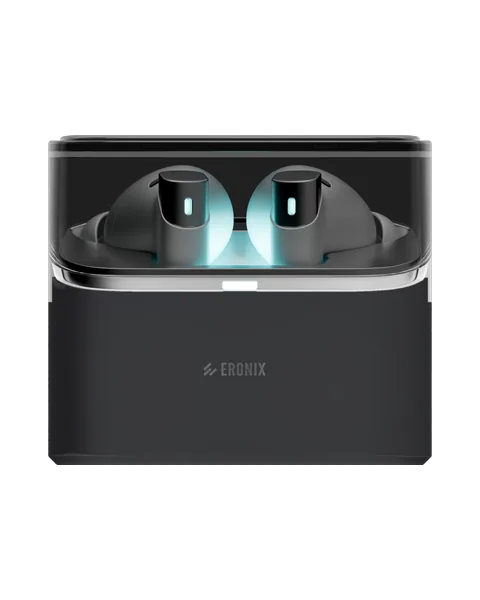
The developer menu can only offer what your earbuds support, so the codec list on the box is where the real choice is made. The Euphoria lists SBC, AAC and aptX HD, and works with iPhone, Galaxy S and OnePlus number-series phones. aptX HD needs an Android phone that supports it. Its 45 dB noise cancelling keeps a busy platform out of the music.
Step by step
- Tap Build number in Settings seven times to unlock developer options.
- Connect your earbuds and play audio.
- Open developer options and read the Bluetooth Audio Codec line.
- If audio stutters with LDAC, set the LDAC mode to adaptive or connection quality.
- Turn developer options off when you are done.
Questions people ask
How do I enable developer options on Android?
Open Settings and find Build number, under About phone on a Pixel, though the location varies by brand. Tap it seven times until the phone says you are now a developer. Developer options then appear in Settings, often under System. You can switch the menu off again at any time.
How do I check which Bluetooth codec my phone is using?
Connect your earbuds and start playing audio, then open Developer options and look at Bluetooth Audio Codec. It shows the codec currently in use, such as SBC, AAC, aptX or LDAC. Some phones also show it in the connected device's Bluetooth details.
What is LDAC best effort?
It is an adaptive LDAC mode that changes bit rate with connection quality. Sony's LDAC page says it switches between 330, 660 and 990 kbps automatically. It gives high quality when the link is strong and steps down to avoid dropouts when the link weakens.
Why does my codec setting reset?
Android negotiates the codec each time earbuds connect, so a manual choice in developer options may revert after reconnecting or restarting. For a lasting change, use any sound quality or connection priority setting in the earbuds' own app, if it offers one.
Is it safe to change developer options?
The Bluetooth audio settings are safe to experiment with; the worst outcome is audio that stutters or stops until you reconnect. Other developer settings affect apps, animations and USB behaviour, so change only what you understand, note original values, and turn the menu off when finished.
Sources
- Android Developers: Configure on-device developer options · accessed 22 Nov 2026
- SoundGuys: Bluetooth codecs explained · accessed 22 Nov 2026
- Sony: LDAC · accessed 22 Nov 2026
- Google: Share your world of sound with LE Audio on Android · 3 Sep 2025
Wireless Audio
Bluetooth, codecs, and the milliseconds that matter.
Read →Explainer · 5 min readWhat ANC can and cannot block
Why the bus engine fades but the conductor's voice does not, and what to check.
Read →Explainer · 4 min readHow long should earbud batteries last?
Two numbers matter: hours per charge today, and how many charges before they shrink.
Read →Comparison · 4 min readAAC vs LDAC on real phones
The spec sheet says 990 kbps. Your phone may be sending a third of that.
Read →Explainer · 4 min readWired vs wireless audio today
Bluetooth has closed most of the gap. Here is exactly where wired is still ahead
Read →Explainer · 4 min readNoise cancelling headphones for Indian commutes
Metro rumble, auto engines, horns. What noise cancelling removes, and what it should not.
Read →