Journal · Explainer · 4 min read
How to clean a phone's charging port safely
The plug feels loose and charging stops when you move it. Often the fix is pocket lint.
The cable used to click into place. Now it sits a little proud of the phone, and charging stops if you touch it. Before you blame the cable or book a repair, look inside the port. Pockets and bags pack lint into it a little more every day.
Short answerTurn the phone off, shine a torch into the port, and gently lift out lint with a soft, non-metal tool, working along the walls and not on the centre contacts. Do not use liquids, compressed air, pins or SIM tools. Then plug in a known-good cable. If the plug now clicks home and charging holds, the port was the problem.
What the makers say, in plain terms
Google's Pixel troubleshooting page lists dust or lint in the port among the first things to check when a phone will not charge. It also suggests testing the adapter and cable on another device, seating the cable firmly at both ends and checking the wall socket works by plugging in something else, such as a lamp.
Apple's general iPhone cleaning page says to unplug all cables and turn the iPhone off before cleaning, to keep moisture out of all openings and not to use compressed air. Its page on liquid in the connector adds a firm rule for wet ports: do not insert anything, such as a cotton swab or paper towel.
Neither maker publishes a step-by-step method for lifting lint from a dry port. What follows is the cautious approach that respects those rules: power off, no liquid, no air blast, nothing metal, and nothing forced.
| What you see | Likely cause | What to do |
|---|---|---|
| Grey layer at the back | Packed lint | Lift out with a soft, non-metal pick |
| Clean wall, plug still wobbles | Worn latch springs | Service centre |
| Charging accessory warning | Cable or adapter | Try a second cable |
| Green or white crust | Corrosion from liquid | Do not scrape; service centre |
Source: Google Pixel Help; Apple Support
Why lint stops a charge
A USB-C plug latches on small springs inside the port, and its contacts meet the port's contacts on a thin centre tongue. Lint compacts at the back of the port, the part you cannot see without a torch. Each time you plug in, the plug presses it flatter and harder, like felt.
Eventually the plug stops a millimetre short. The latch does not catch and the contacts only just touch. Movement breaks the connection, the phone sees the charger vanish and return, and charging stutters.
It is like a shoe with a pebble in the heel. The shoe still goes on, but your foot never seats fully, and every step lifts it. Take the pebble out and the same shoe fits perfectly.
The five-minute method
Turn the phone off and remove the case. Unplug everything. Apple asks for both before any cleaning.
Shine a bright torch straight into the port, ideally using a second phone's flashlight. Look for a grey or dark layer at the far end. If the back wall looks clean and metallic, lint is not your problem.
Use a soft, non-metal, non-conductive tool: a wooden toothpick or a plastic interdental pick, trimmed blunt. Slide it along the inside wall, not the centre tongue, and draw lint towards the opening. Small, patient passes are better than one firm scrape.
Tip the phone port-down and tap it gently against your palm to drop loose fibres. Do not blow into it; breath carries moisture.
Turn the phone on and plug in a cable you know works. You should feel a firm click. Try a short charge and move the cable gently. If it holds, you are done.
When cleaning is not the answer
Some symptoms look like lint but are not. If the torch shows a clean, metallic back wall and the plug still wobbles, the springs that grip the plug may be worn. That is a hardware fault, and no amount of picking will fix it.
If the phone shows a warning about the charging accessory, the cable or adapter may be damaged or unsupported. Google's Pixel page names this message and suggests a compatible cable and charger. Try a second cable before touching the port again.
If you see green or white crust on the contacts, the port has met liquid and corroded. Do not scrape it. Corrosion needs a service centre, because scraping can lift the plating off the contacts and turn a cleanable problem into a port replacement.
What to check before you buy
Before buying a new cable, test your current one on another device, as Google suggests. If it charges that device firmly, the cable is fine.
Look at the plug itself. A USB-C plug with a bent shell or dark marks on its contacts should be replaced, whatever the port looks like.
Choose a cable whose plug housing is short and slim enough to seat fully through your phone case. A thick case can stop a plug short, exactly as lint does.
If the port is still loose after cleaning, ask an authorised service centre to inspect it. A worn or damaged port needs a repair, not a new cable.
Myth corner
Myth: a blast of compressed air is the safe way to clean a port. Apple specifically tells users not to use compressed air on an iPhone, and a strong blast aimed into a small slot can pack lint further back instead of lifting it out. A dry, gentle lift is safer.
The right one for you
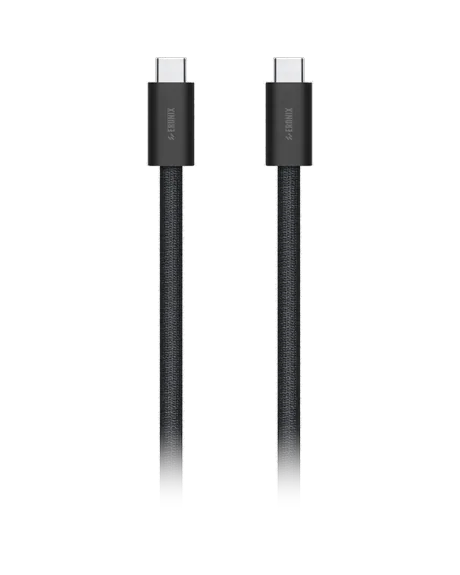
Once the port is clean, a cable that seats firmly finishes the fix. The Everyday Cable is USB-C to USB-C, rated 60 W over 1 m, for every USB-C iPhone and Galaxy. Its aluminium shells, braided jacket and 10,000-bend test are made for a plug that goes in and out every night.
Step by step
- Turn the phone off, remove the case and unplug all cables.
- Shine a torch into the port and look for lint at the back wall.
- Lift lint out with a soft, non-metal tool, working along the walls, not the centre tongue.
- Tap the phone port-down against your palm to drop loose fibres.
- Turn the phone on and test with a known-good cable.
Questions people ask
Can I use a pin or SIM tool to clean my charging port?
It is better not to. Metal can scratch contacts or short them if the phone is on, and Apple advises against inserting objects into a wet connector. Use a soft, non-metal tool such as a trimmed wooden toothpick, with the phone switched off.
Is compressed air safe for a phone charging port?
Apple says not to use compressed air when cleaning an iPhone. A strong blast aimed into the port can pack lint further back instead of lifting it out. If you want air at all, a soft hand-held blower used from a distance is gentler, but a careful dry lift usually works better.
Can I use alcohol to clean a charging port?
Apple allows a 70% isopropyl alcohol wipe only on exterior surfaces and says to keep moisture out of all openings. Neither Apple nor Google recommends putting liquid into a charging port. Keep the port dry and leave deep cleaning to a service centre.
How do I know if lint is the problem?
Common signs are a plug that no longer clicks in, a cable that sits slightly out of the phone, and charging that stops when the cable moves. Shine a torch into the port. A grey or dark layer at the back wall points to lint.
How often should I clean the charging port?
Only when you see lint or the plug stops seating fully. Cleaning more often adds risk without benefit. Carrying the phone port-up in a clean pocket, or in a case with a port flap, slows the build-up.
Sources
- Google Pixel Help: Fix a Pixel phone that won't charge or turn on · accessed 22 Nov 2026
- Apple Support: How to clean your iPhone · accessed 22 Nov 2026
- Apple Support: If you see a liquid-detected alert on your iPhone · accessed 22 Nov 2026
- Apple Support: How to clean your Apple products · accessed 22 Nov 2026
USB-C Power Delivery
One connector, a negotiated contract.
Read →Buying guide · 5 min readWhich charger does the iPhone 18 Pro need?
Half a battery in 15 minutes, but only if your charger speaks one new word: AVS.
Read →Explainer · 4 min readHow to charge a phone fast before a flight
Thirty minutes at the gate can be worth half a battery. Five steps to get it.
Read →Explainer · 4 min readCable management for a clean desk
A tidy desk starts by removing cables, not hiding them. Then a few rules keep it safe.
Read →Explainer · 4 min readCan a fake cable damage a phone?
The danger is rarely the copper you can see. It is one tiny part you cannot.
Read →Explainer · 4 min readCan a phone charge 'too fast' for its cable?
The phone, the charger and the cable agree on a speed before any real current flows.
Read →