Journal · Explainer · 4 min read
EQ settings that actually help
Most people drag every slider up. The settings that work usually go the other way
Open almost any earbuds app and you will find an equaliser with five or ten sliders, and a temptation to push them all up. If every band goes up together, what have you actually changed? Only the volume, plus some distortion.
Short answerThe EQ settings that help are small and specific. Fix the fit first, then cut the band that bothers you before boosting anything, move sliders by two or three decibels at a time, and judge at a normal listening level. A gentle bass lift or a slight dip in harsh treble does more good than any dramatic preset.
The numbers behind an equaliser
An equaliser is a set of filters, each raising or lowering a slice of the frequency range. A graphic equaliser uses fixed bands with a slider each; professional live-sound units typically carry 25 to 31 bands, while phone apps usually show far fewer. A parametric equaliser lets you set the centre frequency, the gain and the width, called Q. A higher Q means a narrower, sharper adjustment.
Bass and treble knobs are usually shelving filters: they lift or cut everything above or below a point, and in their simple first-order form the slope tops out at 6 dB per octave. RTINGS defines bass as roughly 20 to 250 Hz, which tells you where a bass slider is working.
Boosts carry a cost. In digital audio every sample has a maximum value; push the signal past it and the peaks are flattened, which is clipping. That adds harmonic distortion. The simplest way to avoid it is to lower the level, which is why cutting a band is cleaner than boosting the others.
Your ears change the picture too. The equal-loudness contours in ISO 226 show hearing losing sensitivity steeply below about 100 Hz at low volume. A bass lift that sounds right at night, quietly, may be too much at full volume on the road.
Apple builds this thinking into iPhone. Its Headphone Accommodations feature, in Settings, Accessibility, Audio and Visual, plays you samples, asks which sounds better and proposes custom settings. Apple also offers a three-band custom EQ for AirPods 4 or later, AirPods Pro 2 or later and AirPods Max 2.
| Situation | Band | Move |
|---|---|---|
| Speech and podcasts | Lowest band | Cut 2 to 3 dB |
| Crowded metro or bus | Bass | Lift 2 to 3 dB |
| Harsh, tiring treble | Top band | Cut 2 dB |
| Thin-sounding earbuds | Ear tip, then bass | Larger tip first |
| Quiet late-night listening | Bass | Modest lift |
Source: ERONIX Lab Desk guidance, from RTINGS bass range and ISO 226 equal-loudness contours, accessed 22 Nov 2026
How EQ changes what you hear
Picture a mixing board with only a few faders, each controlling a group of instruments. Raise one, and that group stands forward. Raise all of them, and you have built a louder version of the same mix, with less room before the speaker strains. An equaliser is that board for your earbuds.
This is why cutting works. If vocals sound buried, a small dip in the lower bass can uncover them without adding anything. If cymbals sting, a small cut in the treble softens them while the rest stays put. Your volume control then makes up the level cleanly.
Fit comes before any of this. A poor ear tip seal loses bass that no slider can restore cleanly, because the boost leaks out of the same gap. Get the seal right, then tune.
Five EQ settings that actually help
For speech and podcasts: lower the lowest band by 2 to 3 dB. Voices gain clarity because less low-end hum masks them.
For a crowded metro or bus: a small lift in the bass, about 2 to 3 dB, makes up for low-frequency noise drowning the bottom of the music. Turn it off again at home.
For harsh, tiring treble: cut the top band or the band labelled near the sharp sound by 2 dB, and listen again after a minute.
For thin-sounding earbuds: try a larger ear tip first. If the sound is still thin, add bass in small steps.
For quiet late-night listening: a modest bass lift helps, because your ears hear less bass at low volume. Remove it when you raise the volume.
What to check before you buy
Open the earbuds app in the store if you can. Check whether it offers a real adjustable equaliser or only fixed presets. Adjustable bands let you tune for your ears and your music.
Check where the EQ is stored. Some earbuds keep settings inside the earbuds, so they work with any phone; others apply them only inside the app. Ask which.
For iPhone users, check whether the earbuds support Apple's own features. Headphone Accommodations works with a listed set of Apple and Beats headphones, so other brands rely on their own apps.
Listen with EQ off first. A good pair should sound balanced without help. EQ should refine the sound, not rescue it.
Myth corner
Myth: the smile curve, with bass and treble raised and the middle dipped, is the best EQ for music. It can sound exciting for a minute, but the middle is where voices and most instruments live. Pulled back too far, songs lose body and words get harder to follow, which tempts you to play louder.
The right one for you
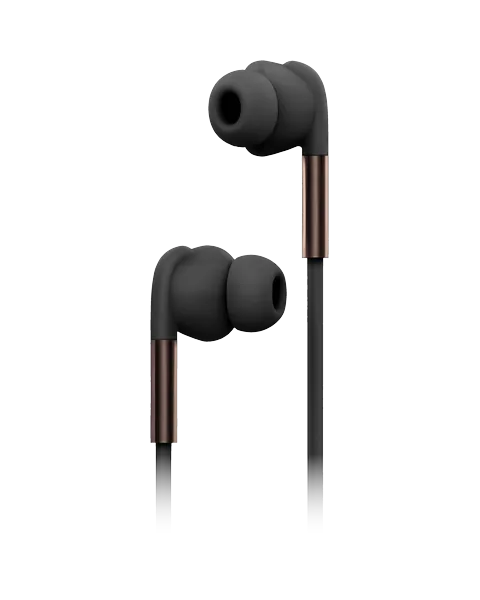
Fit is the first setting, and Xenon comes with ear tips in three sizes, so the seal holds the bass you tune rather than leaking it.
It connects over USB-C with its own 24-bit/96 kHz DAC and 14 mm dual titanium drivers in a metal housing, with nothing to pair and nothing to charge. It suits iPhone 15 and later and every USB-C phone.
Step by step
- Seal the earbuds properly with the right ear tip size.
- Set EQ to flat and listen at a normal volume.
- Identify one problem: muddy, thin, harsh or buried vocals.
- Cut the band causing it by 2 to 3 dB, or lift a missing band by the same.
- Raise the volume slightly to make up level and listen for a minute before changing more.
Questions people ask
Should I use a bass boost preset or a custom EQ?
A custom EQ gives more control. Presets often raise a band by a large amount, which can cause clipping and push you to listen louder. A custom lift of 2 to 3 dB at the lowest bands is usually enough. Fix the ear tip seal first, since a leak loses bass that EQ cannot cleanly replace.
Does EQ drain earbud battery?
Any processing uses some power, but a basic equaliser is a small load compared with the radio and noise cancelling. Large boosts can use a little more amplifier power at the same volume. In practice, how loud you listen and whether ANC is on matter far more to battery life than EQ.
What is the difference between a graphic and a parametric equaliser?
A graphic equaliser has fixed frequency bands with a slider each. A parametric equaliser lets you choose the frequency, the amount of boost or cut and the width, called Q. Parametric is more precise and useful for taming one harsh note; graphic is quicker for broad changes.
Can EQ fix earbuds that sound bad?
Only partly. EQ can rebalance tone, but it cannot fix distortion from a driver pushed too hard, a poor seal or a weak Bluetooth connection. If earbuds sound poor with EQ off at a moderate volume, the problem is usually fit or hardware, not settings.
Sources
- Equalization (audio) (Wikipedia) · accessed 22 Nov 2026
- Clipping (audio) (Wikipedia) · accessed 22 Nov 2026
- RTINGS: Headphone sound quality tests, bass accuracy · accessed 22 Nov 2026
- Equal-loudness contour (Wikipedia summary of ISO 226) · accessed 22 Nov 2026
- Apple Support: Customise audio levels and Headphone Accommodations · accessed 22 Nov 2026
- AES E-Library: paper on insert earphone leakage and bass response (abstract) · accessed 22 Nov 2026
Acoustics
What a driver actually does.
Read →Explainer · 4 min readHi-Res Audio on Bluetooth: what is real
The badge on the box is real. So is the compression that makes it fit.
Read →Explainer · 4 min readCleaning earbuds safely
Most earbud damage during cleaning comes from the toothpick, not the dirt.
Read →Explainer · 5 min readWhat 'drivers' and 'mm' mean on a spec sheet
12 mm sounds bigger than 10 mm. Your ears may not agree, and here is why.
Read →Explainer · 5 min readFrequency response charts, read simply
One wiggly line can tell you whether earbuds will sound boomy, harsh or just right.
Read →Explainer · 5 min readBass: why more is not always better
The low end fills a song. Push it too far and it starts to swallow everything else.
Read →