Journal · Explainer · 5 min read
Second-hand phones: battery checks before you buy
The screen and camera are easy to inspect. The battery needs five minutes and a plan.
A used phone can look perfect: no scratches, a clean camera, a box with the original sticker. The part that decides how the next two years feel, the battery, is sealed inside and never shown in the listing photos. How do you judge it in the few minutes a seller gives you?
Short answerOpen the phone's battery settings and note maximum capacity and, where shown, cycle count. On iPhone 15 and later, Apple designs for 80% capacity at 1,000 cycles; older iPhones, 500 cycles. Then look for swelling, check that the phone charges normally with your own charger, and walk away from any battery-service warning you did not expect.
What the battery numbers mean
Apple's support page on iPhone battery and performance gives the two benchmarks that matter. iPhone 14 and earlier are designed to keep 80% of their original capacity after 500 complete charge cycles under ideal conditions. iPhone 15 and later are designed to keep 80% at 1,000 cycles. A phone reading 90% at 300 cycles is ageing normally. One reading 82% at 250 cycles has had a harder life.
Where to look: on iPhone 15 and later with iOS 17.4 or later, it is Settings, then Battery, then Battery Health, which shows maximum capacity, cycle count, manufacture date and first-use date. On iPhone 11 to 14, it is Settings, then Battery, then Battery Health and Charging. On Android phones the location varies by maker, so ask the seller to open the battery or device-care screen in front of you.
Heat is the other half of the story. Battery University's storage table for lithium-ion cells shows a cell kept full at 25 °C retaining about 80% of capacity after a year, but only about 65% at 40 °C. A phone that lived on a car dashboard in Delhi summers, or charged every night under a pillow, can have aged faster than its cycle count suggests.
| Model | Designed to keep | After | Where to check |
|---|---|---|---|
| iPhone 11 to 14 | 80% | 500 cycles | Settings, Battery, Battery Health and Charging |
| iPhone 15 and later | 80% | 1,000 cycles | Settings, Battery, Battery Health |
| Android phones | Varies by maker | Varies by maker | Battery or device-care screen |
Source: Apple Support, accessed 22 Nov 2026
Capacity retained (%)
Source: Battery University, BU-808, accessed 22 Nov 2026
How it works: why an old battery slows a phone
A battery is not only a fuel tank. It also has to deliver sudden bursts of current when the processor, camera or radio wakes up. As a lithium-ion cell ages, its internal resistance rises, so its voltage sags more under those bursts.
Think of an old water pipe furred with scale. It still holds water, but when you open the tap fully the pressure drops. The phone sees that pressure drop as voltage dipping and, to avoid a sudden shutdown, holds back. Apple lists what you may notice: slower app launches, lower frame rates, longer processing, slower wireless data, a dimmer backlight and lower speaker volume. A second-hand phone that feels sluggish in the shop may simply have a tired battery.
A five-minute battery routine at the seller
Minute one: settings. Photograph the battery health screen. Note maximum capacity, cycle count where shown, and any message about service or replacement.
Minute two: the body. Lay the phone flat on a table and look along the edges. A screen lifting at one corner, a back panel that rocks, or a visible gap at the frame are classic signs of a swollen cell. Do not buy a swollen phone at any price.
Minute three: charging. Plug in your own known-good charger and cable. The phone should show charging, and where the phone supports it, a fast-charging indication. If it only charges with the seller's special cable, ask why.
Minutes four and five: load. Turn brightness to full and record a short 4K video or run the camera. A healthy phone warms gently. One that drops several percentage points in a minute or shuts down has a battery that cannot carry load.
How to price a tired battery into the deal
A battery below about 85% is not a reason to walk away if the rest of the phone is right. It is a reason to negotiate. Ask the seller, or check the maker's service centre website, for the official battery replacement price for that model, and take it off the asking price.
Remember the heat point. A phone used in a hot city or a car will keep losing capacity faster than one kept cool. If the seller mentions it was used for navigation in a car every day, assume the battery has had a hard life, whatever the cycle count says.
What to check before you buy
Check the battery health screen yourself, on the phone, not a screenshot sent by the seller.
Check for replacement history. If the battery was replaced, ask for the service invoice. A recent replacement at an authorised service centre is a plus; an undocumented one is a question mark.
Check for swelling by looking along all four edges on a flat surface, and pass on any phone where the screen or back lifts.
Check that it charges from your own charger and cable, so you know it will work with what you already own at home. A USB-C charger with Power Delivery and PPS gives a fair test on most recent phones.
Myth corner
Myth: a battery at 85% will be fine for another three years. That depends on how it is kept: Battery University's data shows a full cell at 40 °C dropping to about 65% capacity in a single year. In a hot Indian summer, treat 85% as a battery that may need replacing within a year or two, and price that in.
The right one for you
The charging test only means something if the charger speaks the phone's own fast-charging language. The Fermi45 offers USB Power Delivery from 5 V to 20 V and PPS from 5 to 20 V at 3 A, with Samsung Super Fast Charging 2.0, so it suits the iPhone 17 series and 45 W Galaxy phones alike.
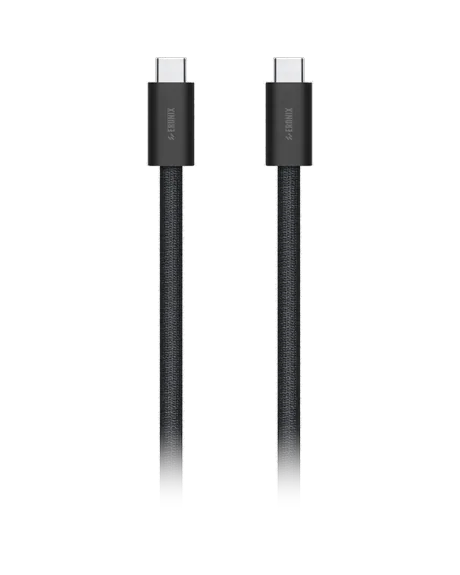
Pair it with the Everyday Cable, 60 W USB-C to USB-C in a braided jacket with aluminium shells, and you carry a known-good pair to the seller and keep it by the bed afterwards.

Step by step
- Open the battery health screen yourself and note maximum capacity and cycle count.
- Lay the phone flat and check all edges for any lifting or gaps.
- Charge it with your own charger and cable and confirm it charges normally.
- Run the camera or a video at full brightness for a minute and watch the battery level.
- Ask for the service invoice if the battery was replaced.
Questions people ask
What battery health is good for a used iPhone?
Above 90% is good for a phone a year or two old. Between 85% and 90% is fair. Around 80% means the battery has reached the point Apple designs for at 500 cycles on iPhone 14 and earlier, or 1,000 cycles on iPhone 15 and later, and a replacement may be due soon.
Can battery health on an iPhone be faked?
A screenshot from the seller proves nothing, because it can come from any phone. Open the Battery Health screen yourself on the handset you are buying. On iPhone 15 and later, also compare the battery manufacture date and first-use date shown there with the phone's age and the seller's story.
Is a replaced battery a bad sign on a second-hand phone?
Not by itself. A battery replaced recently at an authorised service centre, with an invoice, can make a used phone a better buy. The concern is an undocumented replacement with an unknown cell, which may age faster or report health inaccurately. Ask for the invoice and check the settings screen.
How many charge cycles is too many on a used iPhone?
Compare the count with Apple's design figures. iPhone 14 and earlier are designed to keep 80% capacity at 500 full cycles, and iPhone 15 and later at 1,000 cycles, under ideal conditions. A phone well under those counts with high capacity is ageing normally. One near them should be priced as needing a battery soon.
Does heat damage a phone battery even when it is not charging?
Yes. Battery University's storage data shows a lithium-ion cell kept full at 40 °C keeping only about 65% of its capacity after a year, against about 80% at 25 °C. Phones left in hot cars or charged under pillows age faster than their cycle count alone suggests.
Sources
- About the battery and performance of iPhone 11 and later (Apple Support) · accessed 22 Nov 2026
- BU-808: How to Prolong Lithium-based Batteries (Battery University) · accessed 22 Nov 2026
Battery Management
Capacity is chemistry; longevity is software.
Read →Explainer · 4 min readDoes fast charging kill the battery?
The watts on the charger matter less than the temperature of the phone
Read →Explainer · 4 min readIs it bad to use the phone while charging?
Scrolling on charge is fine. Gaming on charge in a hot car is the habit to break.
Read →Explainer · 4 min readDo you need to 'calibrate' a new battery?
The 8-hour first charge belongs to the nickel era. Your new phone is ready out of the box.
Read →Explainer · 4 min readDoes airplane mode charge faster?
The trick is real, but small. On a fast charger it saves seconds, not minutes.
Read →Explainer · 4 min readWhy your phone charges fast to 50% and slow after 80%
The slowdown is not your charger failing. It is the battery asking to be treated gently.
Read →