Journal · Explainer · 4 min read
How to tell if a cable supports fast charging
Every cable looks the same in a drawer. Four clues tell you which one is fast.
Open any drawer at home and you will find a tangle of USB-C cables, all black or white, all the same shape. One of them charges the phone in an hour; another takes three. Nothing on the outside seems to explain why. How do you sort the fast from the slow in under five minutes?
Short answerLook for a power rating. A cable marked 60 W, or 3 A, handles fast charging for almost every phone. Anything charging above 60 W needs a cable marked 100 W or 240 W, or 5 A, which carries an e-marker chip. A USB-IF power logo confirms the rating. With no marking, a cheap USB-C power meter tells the truth.
The ratings that matter
ChargerLAB's cable guide sets out the two everyday levels: 60 W, which is 20 V at 3 A, and 100 W, which is 20 V at 5 A. It explains that under USB-IF rules, cables rated 3 A or below do not need an e-marker chip, while cables above 3 A must carry one. The chip stores the cable's current capacity and data ability, and devices read it to choose a mode.
Higher still, the USB-IF says USB PD 3.1 reaches 240 W, with 28 V, 36 V and 48 V levels, and that the USB Type-C cable specification was updated to define 240 W cables. Tom's Hardware reported in 2021 that the USB-IF introduced logos showing 60 W or 240 W for cables that pass its compliance testing, alongside separate data-speed logos.
Phone makers name the cable they need. Samsung's UK support page says Galaxy S24 super fast charging at 45 W needs a 5 A, e-marked cable, and that standard 25 W-rated cables will not reach it.
| Rating | Level | E-marker | Typical use |
|---|---|---|---|
| 60 W | 20 V at 3 A | Not required | Almost every phone |
| 100 W | 20 V at 5 A | Required | 45 W phones, laptops at 65 W or more |
| 240 W | Up to 48 V | Required | Laptops at 140 W |
Source: ChargerLAB cable guide; USB-IF, USB Power Delivery
How a cable limits speed
A charger will not offer more than 3 A unless it knows the cable can carry it. With a 3 A cable, the charger and phone agree on a lower level, even if both can do more. With a 5 A cable, the e-marker tells the charger it is safe to go higher.
Thin wires add a second limit. Every cable has resistance, and current through resistance turns into heat and voltage loss. A thin, long, cheap cable loses more, so the phone sees a lower voltage and may reduce its request.
Think of a cable as a road with a posted weight limit. A 3 A cable is a city road, fine for cars and small trucks. A 5 A e-marked cable is a highway with a sign announcing it can take heavy loads. The trucks, fast chargers, only take the highway when they see the sign.
Four clues, in order
Clue 1: printed rating. Look on the plug housing, the cable sleeve or the packaging for 60 W, 100 W, 240 W, 3 A or 5 A.
Clue 2: the USB-IF logo. A cable that has passed the USB-IF's compliance programme can show its power rating in the logo. No logo does not mean a poor cable; many good cables never go through the programme.
Clue 3: connector type. A USB-A to USB-C cable cannot carry USB PD fast charging from a USB-C charger, because it plugs into a USB-A port. The ChromiumOS hardware notes say such cables must signal only a basic current. For fast USB PD charging, use USB-C to USB-C.
Clue 4: measurement. A USB-C power meter between charger and cable shows volts, amps and watts during a charge. If a 45 W phone never rises above about 25 W with one cable but does with another, the first cable is the limit.
What to check before you buy
Match the rating to your fastest device. A phone that charges at 45 W needs a 5 A cable; a laptop at 65 W or more needs 100 W; a laptop at 140 W needs 240 W.
For proprietary systems, such as SUPERVOOC, use the brand's own cable. ChargerLAB notes that brand protocols such as SuperVOOC and Xiaomi's turbo charging are not mutually compatible.
Pick the length for the job. ChargerLAB suggests about 1 m for everyday use, 2 m to 3 m for bedside or desk, and short cables for power banks and travel.
Choose durable materials. ChargerLAB describes braided and silicone jackets as hard-wearing, and notes that PVC, once common, oxidises and yellows and was especially fragile where the cable meets the plug.
Data speed is a separate rating. ChargerLAB notes that charging cables typically support only USB 2.0 data. A 100 W cable may still copy photos slowly, so if you move large files or connect a display, look for a data rating as well.
Myth corner
Myth: a thicker cable is always a faster cable. Thickness can come from the jacket, not the copper. A slim cable with a 5 A rating and an e-marker will out-charge a chunky 3 A cable every time. Read the rating, not the girth.
The right one for you
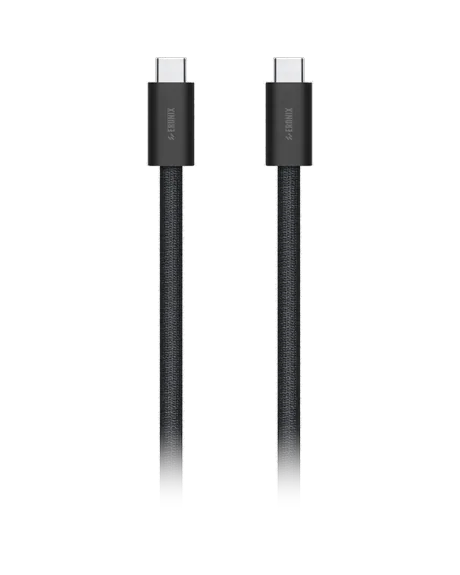
Match the cable to the fastest device it will charge. For an iPhone or any phone that charges at 3 A or less, the Everyday Cable is rated 60 W over 1 m, the everyday length ChargerLAB suggests, braided, with aluminium shells and a leather tie.
For a 45 W Galaxy or a laptop, the Power Cable 240 W carries the e-marker chip that higher currents require, braided and 2 m long for the bedside or the desk. Both are tested to 10,000 bends.

Step by step
- Look for a printed wattage or current rating on the plug, sleeve or box.
- Check for a USB-IF logo showing the power rating.
- Use USB-C to USB-C for USB PD fast charging.
- Test with a USB-C power meter if the rating is unclear.
- Label your fast cables so they stay with your fast chargers.
Questions people ask
What is the difference between a 3 A and a 5 A USB-C cable?
A 3 A cable carries up to 60 W at 20 V and does not need an e-marker chip. A 5 A cable carries up to 100 W at 20 V and must include an e-marker, according to ChargerLAB's summary of USB-IF rules. Laptops and some phones above 60 W need 5 A.
Do I need a 100 W cable for my phone?
Only if your phone charges above 60 W or needs a 5 A cable. Samsung requires a 5 A e-marked cable for 45 W super fast charging on Galaxy S24 models. Most other phones charge fully fast on a good 60 W, 3 A cable.
Can a USB-A to USB-C cable fast charge?
Not over USB Power Delivery. USB PD runs over USB-C to USB-C. A USB-A cable plugged into an older charger can carry some proprietary fast-charging protocols, but for PD fast charging, use a USB-C to USB-C cable.
How can I test my cable's charging speed?
Use an inexpensive USB-C power meter between the charger and the cable. It shows volts, amps and watts while the phone charges. Compare two cables with the same phone and charger at a similar battery level.
Does cable length affect charging speed?
Longer, thinner cables lose more voltage to resistance, which can make the phone reduce its request. A well-made 2 m cable with the right rating charges at full speed. A cheap long cable often does not.
Sources
- ChargerLAB: Ultimate cable selection guide for everyone · 28 Jul 2023
- USB-IF: USB Charger (USB Power Delivery) · accessed 22 Nov 2026
- Tom's Hardware: New USB logos show charging capabilities up to 240W · 1 Oct 2021
- Samsung UK Support: How to use super fast charging on Galaxy S24 series · accessed 22 Nov 2026
- ChromiumOS: Cable and adapter tips and tricks · accessed 22 Nov 2026
USB-C Power Delivery
One connector, a negotiated contract.
Read →Buying guide · 5 min readWhich charger does the iPhone 18 Pro need?
Half a battery in 15 minutes, but only if your charger speaks one new word: AVS.
Read →Buying guide · 4 min readDo you need a 100 W cable? When it matters
The difference between a 60 W and a 100 W cable is one small chip. Here is when it counts.
Read →Explainer · 4 min readHow to charge a phone fast before a flight
Thirty minutes at the gate can be worth half a battery. Five steps to get it.
Read →Comparison · 4 min read1 m vs 2 m cables: does length matter?
Doubling the length doubles the resistance. Whether you notice depends on the copper.
Read →Explainer · 4 min readCan a phone charge 'too fast' for its cable?
The phone, the charger and the cable agree on a speed before any real current flows.
Read →